

Quick answer
A private live streaming platform is not private because the video is online. It is private because the right people get in, the wrong people can be removed, and the host can still manage the room. Use the access model first, then check moderation, revocation, branding, and audience data control before you choose a vendor. If you only need delivery security or low-latency transport, this is not the right page.
If you are choosing a controlled-access live platform for an invite-only event, a paid community, an internal town hall, or a client workshop, the real question is not “can it stream?” It is “can it run the audience relationship without breaking the room?” That is why this page treats privacy as a workflow problem, not a marketing label.
For a broader reference point, see OBS Studio streaming guide and Twitch broadcasting guidelines.
What a private live streaming platform has to handle
When teams call a stream private, they often mean only one thing: there is a gate before playback starts. That is too narrow for a business event. A closed investor update may need per-user access and fast revocation if the guest list changes. A restricted client session may need moderation so the chat does not turn into a support queue. A membership room may need entitlements that follow subscription status instead of a one-off link.
In practice, the platform has to manage access, participation, and the guest path together. If those pieces are split across tools, the room becomes hard to run the first time something changes. That is the difference between a stream that is private in theory and a stream that is operationally private. The platform does not need to solve every delivery problem; it needs to match the way the audience is supposed to enter, stay, and leave.
This page stays inside that decision. It is about access control, moderation, branding, membership logic, and guest experience. It is not a deep dive into encryption, DRM, transport latency, or playback optimization. For the technical security layer, see Secure live streaming. For transport and latency questions, see WebRTC live streaming. If your question is broader platform setup, the sister guide on How to start a streaming service covers the launch frame.

That boundary matters because the wrong purchase is usually not obviously broken. It is a platform that looks private in the demo, then fails when an organizer needs to revoke a pass, approve a different host, keep the audience list in sync, or stop a link from spreading beyond the intended room. In those cases, the team does not need more video jargon. It needs a platform that can control the room.
Access-control models that actually differ
Most vendors compress privacy into one feature bundle. That hides the real choice. Invite-only access, password access, membership access, paid access, and role-based internal access all solve different problems. If you choose the wrong one, the stream may still look closed while the business workflow falls apart.
Invite-only access
Use this for one-time events with a known guest list: briefings, launches, private demos, or selective workshops. The value is precision. The weak point is maintenance. If attendance changes late, the list has to change fast too. A platform that makes revocation slow turns an invite-only event into manual ops work.
Password-protected access
This is the simplest gate and the easiest one to leak. It can work for low-risk sessions, but it breaks when the same password gets forwarded in a chat or reused for several events. If the room matters, password access usually needs a second control layer.
Membership-gated access
Membership gating is a better fit for recurring communities than for one-off events. It links the stream to an existing entitlement so access follows account status. The failure mode is stale syncing: a member renews, but the platform still blocks entry; or an expired account keeps seeing the room. When that happens, the support queue becomes the product.
Paid access / paywall
This model ties privacy and monetization together. It works well for premium webinars, paid classes, and exclusive interviews. The real risk is not only leakage. It is checkout friction. If the buyer has to fight the purchase flow before the stream begins, the event loses revenue before it starts.
Role-based internal access
Role-based access is the right model for company communications, internal training, and restricted team briefings. Not everyone should have the same rights. Hosts, moderators, employees, and guests need different permissions, and the platform should enforce that without a manual approval loop every time someone joins.

| Access model | Best fit | Breaks when | Operational signal |
|---|---|---|---|
| Invite-only | Private launches, briefings, and workshops | Guest lists change late | Needs fast revocation and reissue |
| Password-protected | Low-risk, short-lived sessions | The code gets forwarded | Needs stronger user-level controls |
| Membership-gated | Recurring communities | Entitlements drift from billing | Needs synced membership logic |
| Paid access / paywall | Premium events and classes | Checkout adds too much friction | Needs payment-to-entry continuity |
| Role-based internal access | Internal comms and staff updates | Permissions are handled by hand | Needs roles and auditability |
That comparison is the first real filter. A vendor can say “private” and still support the wrong gate for your business. Match the audience relationship first, then compare platform features.
How the same platform should behave in four scenarios
A closed stream is not one use case. The control points shift depending on whether the audience is invited, paid, internal, or a one-off client group. The decision gets easier when you map the workflow to the business model instead of the other way around.
Internal communications
An internal town hall needs role controls, quick entry, and visibility into who can speak or moderate. Replay access may also matter if the event should remain within the company. The platform should let the organizer run the room without turning every permission change into a support task.
Paid communities
A paid community needs entitlement logic that follows the subscription. Members should get in when they are active and lose access when they are not. The stream should feel like part of the community product, not a separate tool bolted on after the sale. That is where a platform strategy like Online Webcam becomes relevant: the buyer is not only purchasing video delivery, but a way to connect access, monetization, and the service model in one operating frame.
Invite-only events
Private launches, briefings, and demos need a short entry path and a quick way to change the guest list if something shifts. If the platform cannot revoke or replace access cleanly, the event team ends up doing work that should belong to the platform. The best sign of fit is boring: the right people get in, and the organizer does not spend the day fixing the door.
Client consultations and workshops
Client sessions are not just broadcasts. They are service delivery. The platform needs to keep the room branded, protect the entry path, and give the host enough control to manage a guest without interrupting the session. In this use case, the first minute matters more than scale, because friction before the call starts feels like friction in the service itself.
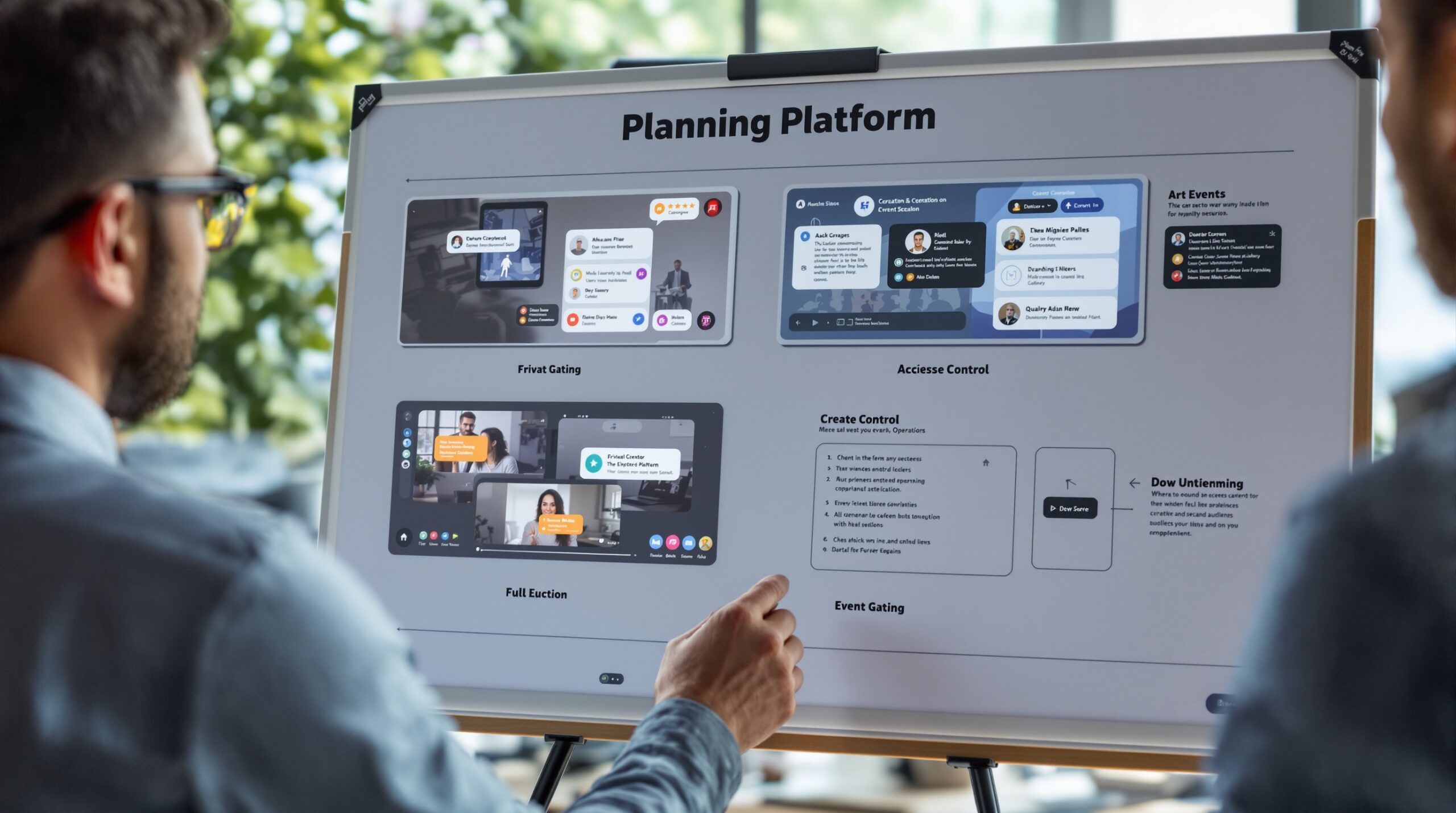
| Scenario | Best access model | Critical workflow | Common failure |
|---|---|---|---|
| Internal communications | Role-based internal access | Speaker, moderator, and employee permissions | Manual approval loops |
| Paid communities | Membership-gated or paywall | Entitlement sync with billing | Member lockouts after renewal |
| Invite-only events | Invite-only | Fast guest list updates | Leaked access links |
| Client consultations | Invite-only with role controls | Brand-safe entry and moderator control | Guest friction before the call starts |
If you are comparing vendors, this matrix is more useful than a generic feature tour. It shows what changes across use cases and where the platform can fail operationally. That is the decision stage in plain terms.
Moderation and participation controls that matter in closed rooms
Closed access does not remove audience management. It raises the cost of getting it wrong. Once people have earned entry, a single bad comment, a shared link, or a hijacked Q&A can turn a premium room into a support problem.
Chat moderation
Hosts need the ability to mute, remove, approve, and restrict participants quickly. If the only option is passive chat, the presenter becomes the moderator by default. That is a bad design for invite-only events and an even worse one for paid rooms.
Access revocation
Revocation is one of the easiest controls to overlook and one of the most important to test. It matters when a guest changes roles, a member loses entitlement, or an invite is forwarded beyond the intended audience. If removal is slow or manual, the room is not operationally private.
Audience control and participation limits
Not every closed stream needs strict anti-sharing rules. Some do. The right level depends on how sensitive the audience or content is. A platform should at least let the organizer see whether access has drifted outside the intended group and act before the event turns into a spillover room.
| Failure mode | What it looks like | Why it hurts | Control to check |
|---|---|---|---|
| Shared invite link | Unexpected guests enter the room | The audience no longer matches the plan | Per-user access and revocation |
| No moderation tools | Chat turns into noise or disruption | The presenter loses control of the session | Host and moderator permissions |
| Stale membership sync | Paid users cannot enter after renewal | Support load and refund disputes rise | Entitlement updates tied to billing |
| Manual permission handling | Ops updates roles by hand every week | Errors grow as attendance scales | Role-based rules and automation |
That is the practical test. A platform can look secure and still be weak at room management. If it cannot handle revocation, moderation, and participation cleanly, the stream may be closed but still fail as an event.
For teams that want to go deeper on the protection layer itself, the sister guide on Best OTT security covers a different question. This page stays with the operating layer: how the room is controlled once the audience arrives.
Guest experience inside a private live streaming platform
Privacy can hurt attendance if the entry flow is clumsy. A closed room often has more friction than a public stream, so the platform has to reduce the number of steps between the invite and the player. If it does not, the organizer spends energy explaining how to get in instead of delivering the session.
Entry flow
The best entry flow is the shortest one that still verifies the right person. Open the room, confirm access, and show the content. Every extra step creates another place for abandonment or support tickets. That matters most when the audience is small and the event is high value.
Reminder and attendance friction
Private events rely on reminders, calendar handoff, and a smooth return path from the email or message into the room. If guests have to search for the link or repeat a login step, attendance drops. A clean reminder flow is often the cheapest way to improve the actual turnout of a closed event.
Brand continuity
The guest should feel like they are entering the host’s property, not a vendor demo page. Registration, reminders, and the player surface should look like one system. When they do not, the experience feels stitched together. That is the point where white-label or deeper customization starts to matter for B2B operators.
Guest experience is where privacy proves whether it is useful or just restrictive. A room can be hard to enter and still fail if the host needs to explain the path twice before the stream begins. The healthier state is simple: the right guest gets in fast, the room still feels branded, and the host does not have to police the door.
How to evaluate a platform before you buy the wrong kind of private
There are three common buying mistakes. First, teams buy a general streaming tool and try to bolt private workflows onto it. Second, they buy security-first software and later discover it cannot run memberships or paid access. Third, they buy for launch speed and only later notice that the audience data and branded front end are not really theirs.
Ownership and customization
If the platform cannot be shaped to the business, every event becomes a workaround. That is manageable for a one-off campaign. It becomes expensive when the same workflow repeats every week. White-label and custom development matter when the experience is part of the product, not just a wrapper around the video.
Monetization control
Paid access is more than a checkout page. It is the link between pricing, entitlement, and the live event itself. A platform that handles that handoff cleanly saves the team from manual reconciliation and makes it easier to test offers without rebuilding the room each time.
Audience data control
Who owns the attendee list is a practical question. If the data sits in a closed system, re-engagement, CRM handoff, and reporting all get weaker. A good platform makes audience data exportable and event history usable. That matters when the stream is part of a larger customer or member lifecycle.
Time-to-launch versus custom build
Fast SaaS launch works best when the use case is simple and changes are limited. Custom development starts to win when branding, entitlement rules, or moderation logic are part of the core business. The right choice depends on how often the workflow repeats and how much it is likely to change in the next few launches.
If the vendor discussion is still open, compare the workflow against the broader build-vs-buy framing in The streaming platform build guide. That is the point where the platform choice becomes a business decision, not just a feature checklist.
Limits and compliance boundaries
Private access does not remove responsibility. A closed audience can still create consent issues, age-restriction questions, or regional access limits. If the stream sits in education, health, finance, or another regulated context, the operator still has to manage the rules that apply to the content and the audience.
When privacy is not enough
If the business depends on keeping content away from the wrong users, a membership gate alone may not be enough. Sensitive recordings, replays, and redistribution risk can require stronger operational controls than a password or invite list. This page does not make legal claims and should not be read as a compliance guarantee.
Operational responsibilities
The platform can support the workflow, but the operator still needs the policy. Who gets invited, how long access lasts, what happens to replays, and when a moderator can remove a guest all need to be defined. Without that, even a good platform turns into a recurring exception process.
How to move from shortlist to decision
At this stage, the goal is not to design every possible stream. It is to prove that the access model, guest path, and room controls fit the real business. A simple validation cycle is enough to expose most bad fits.
- Map one actual use case to one access model so the team stops debating abstractions and starts testing the real gate.
- Test revocation with a live guest list and confirm that a user can be removed without reopening the event setup.
- Run the entry flow on mobile and desktop, then note where guests hesitate, re-authenticate, or drop out.
- Check moderation and role controls with a real host, a moderator, and one restricted guest.
- Confirm who owns attendee data, exports, and re-engagement records before the purchase is approved.
That sequence is enough to show whether the platform is a fit or a workaround. If the answer is still unclear after those checks, the problem is usually not the stream. It is the wrong operating model for the room.
Online Webcam is a practical fit when controlled access has to become a repeatable service
A private live streaming platform only works when access, monetization, and audience control stay in the same operating frame. That is where Online Webcam fits this brief. The project context for this page points to a niche streaming-service roadmap, platform setup, monetization models, and build-vs-buy decisions, which is exactly the kind of context operators need when the real task is not simply “go live,” but run a closed audience business without stitching the workflow together by hand.
For invite-only events, paid communities, internal sessions, and client workshops, the practical question is whether the platform can hold the gate, the room, and the business model at the same time. A system framed around controlled access and service design is more useful than a generic broadcast tool when the room has to be branded, moderated, and tied to a real audience relationship.
That does not mean every buyer needs a deeper build. If the workflow is simple and unlikely to change, SaaS may be enough. But once the guest path, audience data, or monetization logic becomes part of the product, the platform has to do more than play video. It has to support the way the business runs.
If that is the direction you are evaluating, the next step is to review the service framing on the Online Webcam page and decide whether you need a white-label route, a custom build discussion, or a tighter selection brief before vendor calls.
Practical advantages: https://online-webcam.net/contact/
Ready to build the setup behind this?
If this is the operating problem you need to solve, use the product page as the next step. It shows where build your setup fits and what the platform covers beyond a single payment widget.
Frequently asked questions
What kind of private access do I need?
Choose the gate that matches the audience relationship. Invite-only fits fixed guest lists, membership-gated fits recurring communities, paid access fits premium events, and role-based access fits internal communications.
When is a password not enough?
A password is not enough when the same code can be forwarded, reused, or posted outside the intended audience. If that happens, you need per-user access or a stronger entitlement model.
What should a membership-gated platform control?
It should keep access aligned with membership status, handle renewals cleanly, and remove access when entitlement ends. If billing and access drift apart, support work increases fast.
How do I know if moderation matters for a closed stream?
If anyone can post chat messages, ask questions, or join on stage, moderation matters. Closed rooms still need host controls, because privacy does not stop disruption.
When should I move beyond a basic SaaS platform?
Move when branding, audience data ownership, entitlement rules, or recurring workflows become part of the business model. If the platform keeps forcing workarounds, it is no longer the right fit.
What is the main failure mode in a private live streaming launch?
The main failure mode is picking the wrong access model and then discovering that revocation, moderation, or the guest entry path does not match the business.