
Quick answer
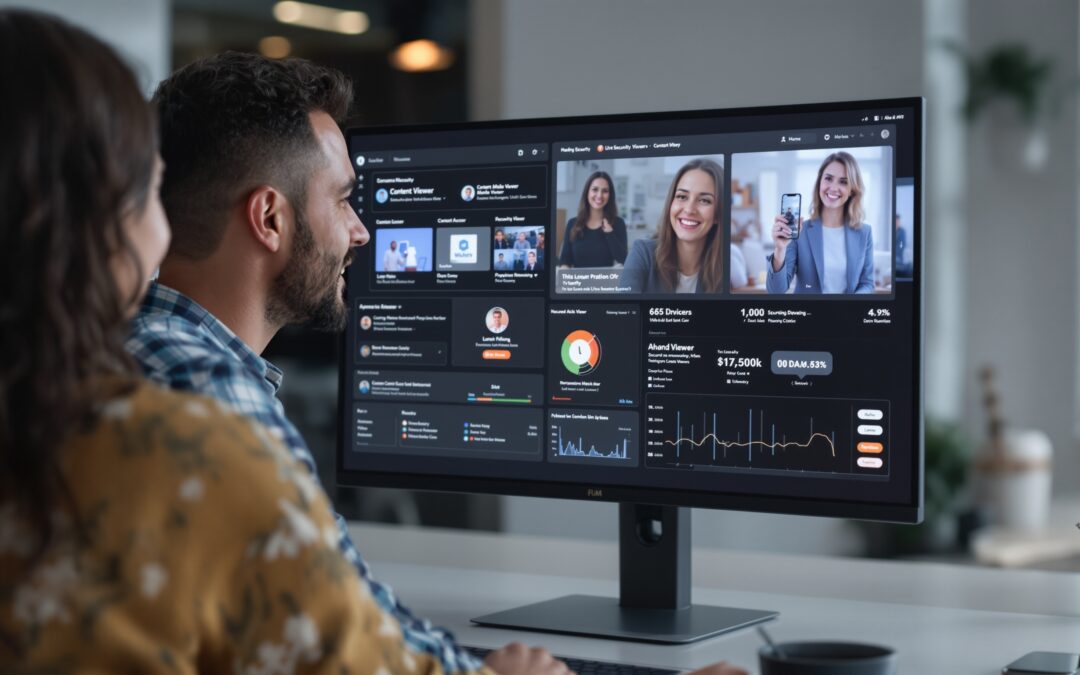
If your live stream is “secure” only because people need a link, the weak point is already exposed. Secure live streaming means controlling who enters, who can reuse or forward access, who can touch the live source, and how you stop chat abuse while the broadcast is still running. This article maps each live threat to the control that actually reduces it, shows what to implement first on a premium platform, and keeps live-session protection separate from broader OTT security. If you only need catalog or VOD protection, this is not the right guide. If you are choosing a branded live platform, live chat, moderation, and analytics matter alongside access control.
What secure live streaming means in a broadcast session
Most teams start with the wrong problem. They ask how to block strangers, then discover the real failure was a forwarded invite, a reused session, or a live chat that became unmanageable ten minutes into the event.
For a broader reference point, see OBS Studio streaming guide and Twitch broadcasting guidelines.
Secure live streaming is not one feature. It is a set of controls that protect the active broadcast: who can enter, whether the access can be shared, who can publish the feed, and how the room stays safe once viewers are inside.
That is the boundary this article keeps on purpose. Live-session protection is about an event that is happening now. Broader OTT security covers the library, archive, and stored-content perimeter, which belongs in a separate best OTT security review or a wider OTT strategy Plan.
For a founder or operator, that split matters because a broadcast can still be compromised even if the rest of the platform looks locked down. One bad invite, one leaked source credential, or one hostile chat can damage the event in real time.
| Live threat | What it looks like | Control that should answer it |
|---|---|---|
| Unauthorized access | Non-paying or uninvited viewers enter the room | Login, entitlement checks, session rules |
| Link sharing | One invite is forwarded outside the intended audience | Time-bound or session-bound access, revocation |
| Stream hijacking | Someone reuses a source, key, or session and takes over the feed | Source protection, key rotation, origin hardening |
| Chat abuse | Spam, harassment, or disruption overwhelms the session | Moderation, reporting, role controls |
Unauthorized access through weak entry gates
When a broadcast is protected only by a public URL or a generic page password, the room is not really private. The first sign is usually a support note that says, “I got in from a forwarded link,” or an analytics spike that does not match the expected audience.
That is an access problem, not a branding problem. A login screen can still fail if the same session can be reused from another device or another browser without any fresh check.
Fix the gate the platform actually uses. If the only thing you can confirm is page-level access, treat it as a page-level gate and nothing more.
Link sharing that turns one invite into many viewers
Invite leakage is common because the link behaves more like a flyer than a ticket. One paid seat can become several viewers in minutes, especially when the link lands in a group chat or a private message thread.
Look for the pattern, not the excuse. If chat activity rises faster than the known attendee count, or if viewers appear from a referral path you did not plan for, your access path is too easy to forward.
Use the strongest audience gate your platform can actually enforce: expiring links, per-user access rules, audience-specific entry checks, or revocation. If you cannot revoke a live invitation quickly, you do not control the room.
Stream hijacking after credentials leak
A source key, ingest credential, or publisher token leaking anywhere in the workflow creates a takeover risk. The visible symptom is often messy: the stream drops, duplicates, or returns from a different origin while the audience is still waiting.
That failure sits on the source side, not in the player. Rotating credentials, narrowing who can publish, and keeping the ingest path small reduces the chance that a leaked credential becomes a live takeover.
For teams that want to understand where that source boundary sits in the stack, the sister piece on Streaming data ingestion helps frame the ingest side without turning this article into a generic infrastructure tour.
Chat abuse that makes the session unsafe
Live chat is not just a social feature. In a premium broadcast, it is part of session safety because spam, harassment, and disruption can push viewers out even when the content itself never leaks.
Moderator fatigue is the warning sign. If the host or support lead spends the whole event deleting spam, removing abusive users, or answering reports, the room stops serving the broadcast and starts defending itself.
Build moderation into the live plan: roles, fast removal, reporting, and clear ownership. If you run a branded platform, live chat and moderation should be part of launch planning, not post-event cleanup.
Security controls that hurt playback more than they help
More checks are not automatically better. Too many login steps, slow entry prompts, or repeated verification can make the audience leave before the show settles.
The cost shows up fast in live events: viewers complain about the entry flow, support tickets rise, and the room loses momentum in the first minutes. That is why security has to be tested against the real playback path, not just against an ideal access model.
For latency-sensitive setups, the tradeoff becomes even sharper, and the sister article on low latency video streaming is useful when the security-versus-friction decision starts affecting retention.

Which controls map to which live-stream threat
The useful question is not “Do we have security?” It is “Which live threat does each control actually reduce?” That is the only way to avoid a long checklist that still leaves the room exposed.
A clean live-security stack assigns a job to each layer. Access control handles entry, session protection handles reuse and forwarding, broadcast integrity handles the source path, and moderation handles viewer safety once the stream is live.
| Control layer | What it should cover | Failure if it is missing | Typical owner |
|---|---|---|---|
| Access control | Who can enter and under what condition | Invite leakage, unauthorized viewing | Platform admin or product ops |
| Session protection | How long a link works and whether it can be reused | Shared links, replay from other devices | Engineering or security owner |
| Broadcast integrity | Who can publish, ingest, or replace the feed | Stream takeover or source spoofing | Video engineer |
| Moderation | Spam, harassment, reporting, removal | Unsafe chat, abandoned live room | Community or support lead |
Think of the stack as a sequence, not a slogan. Access control protects the door, session protection protects the ticket, broadcast integrity protects the camera path, and moderation protects the room.
Teams building a branded live product usually prefer a platform that keeps those layers visible instead of forcing them to stitch everything together. That is one reason products in the private live streaming platform category look different from a generic player or a marketing page wrapped around video.
Access control and session rules
A static gate for every event is easy to explain and easy to leak. If the same link works for everyone, nobody can tell whether a viewer entered through a real invite or through a forwarded copy.
Use the strongest audience gate your platform can enforce, and name the limit honestly. If your system only supports basic page access, call it that and do not present it as session security.
Broadcast integrity and source protection
Too many people or systems touching the live source creates avoidable risk. The warning signs are usually technical: the stream breaks when production switches hands, or a new encoder enters the workflow and the feed starts acting unstable.
That is where publisher permissions and a narrow ingest path matter. Source control is not the same thing as viewer control, and the live event fails when the wrong side is left open.
If your team wants the broader architecture behind that boundary, the article on video streaming infrastructure is the better companion piece.
Moderation and viewer safety
Chat safety should be treated as part of live security, not as a separate community project. A private broadcast can still feel unsafe if nobody can remove abuse quickly.
The practical sign is simple: the room becomes unreadable. Once the host cannot keep the conversation usable, viewers begin leaving for reasons that have nothing to do with the content itself.
Give moderators fast tools and clear ownership before launch. In a live environment, viewer safety is part of the product experience, especially when the event is tied to paid access or creator-community interaction.
Control tradeoffs on premium platforms
Security that adds friction without reducing a real threat is expensive in two ways: it costs engineering time and it costs attendance. A premium platform should not make the first minute of the event feel like a workaround.
The practical test is whether the control solves the live problem you actually have. If invite leakage is the issue, revocation and audience rules come first. If chat turns ugly, moderation moves up. If source takeover is the risk, publisher hardening comes before anything else.
That is also why a WebRTC live streaming setup can be useful without being a magic answer. It may reduce some exposure, but it does not replace access rules, source control, or moderation.
What to validate before launch
Launch readiness is not a feature count. It is a proof that the live room can survive the first real leak, the first reused invite, and the first ugly chat thread without turning into manual cleanup.
Before you ship, check the access path, the moderation path, and the source path. If any of those are unclear, the event is more fragile than the roadmap suggests.
For platform teams that want analytics in the same place as access and moderation, Scrile Stream is one example of a white-label development service for businesses that want to launch their own branded streaming platform. The confirmed descriptor includes custom branding and platform control, live chat, moderation tools, real-time analytics dashboards, and monetization options. The useful question is not the brand name itself, but whether the platform lets you see what happened in the room while the broadcast is still active.
Minimum viable stack for a premium live room
Start with the controls that reduce the widest live threat surface: entry control, session protection, source protection, and moderation. That is the smallest stack that still covers unauthorized viewing, link leakage, takeover risk, and chat abuse.
If the platform cannot show who got in, who can publish, and who can remove abuse, it is not yet ready for a premium live event. Manual fixes can help for a while, but they do not scale when the room is busy.
Once the base stack works, add stronger controls only where the failure pattern justifies them. The order changes by business model, but the logic does not: fix the leak that is already hurting the broadcast first.
When to add stronger controls
If invite leakage is the main issue, add revocation and more restrictive audience rules before you spend time on anything else. If chat disruption is the problem, put moderation tools at the front of the queue.
If the source side is where things keep breaking, harden publisher access and credential handling before you invest in extra viewer friction. That sequence keeps the team focused on the control that actually lowers the risk.
This is also the point where generic advice stops helping. A platform can be fine for simple gated viewing and still be a poor fit for a premium live room with active moderation, measurable chat, and controlled access paths.
Where generic OTT security advice is not enough
Live security covers the active event: who can enter, what they can see, who can talk, and who can publish. OTT security is broader and often includes the library, archive, DRM questions, and platform hardening around stored content.
If those layers get mixed together, the implementation plan gets muddy. Live controls should be built and tested for the broadcast window; catalog controls can be handled in a separate track.
That separation also helps you compare tools without confusion. A platform can be strong at live moderation and still be weak for catalog-heavy OTT, and the reverse is just as common.
Optimizing Your Video Playback Experience: Best Tips
What to do before your next live broadcast
You cannot fix a live session after the room is full. The safer move is to walk into the next broadcast with the four threat buckets already named and the ownership already clear.
- Map the four live threats for the event: unauthorized access, link sharing, hijack risk, and chat abuse.
- Test one real invite from a second device and check whether the access rules still hold.
- Review moderator coverage for the first 15 minutes of the stream, since that is where disruption usually shows up first.
- Write down who can publish, who can revoke access, and who can mute or remove users.
- If the same leak keeps showing up, move from manual fixes to a branded live platform with controls you can actually inspect.
If your next step is system design rather than immediate launch, the sister article on how to create a streaming service is the better follow-on than another generic security roundup.
Scrile Stream fits this use case when the goal is not just to play video, but to run a branded live service with visible controls around the session. The confirmed product descriptor points to a white-label development service with custom branding and platform control, live chat, moderation tools, real-time analytics dashboards, and monetization options.
That combination matters for operators who need to see the room while it is live: who entered, how chat behaved, and whether the event stayed manageable. It is a better fit when your team wants operational control over the live session instead of a borrowed player surface with limited oversight.
Use it when your launch problem is not “Can we stream?” but “Can we control the live room well enough to protect paid access, viewer safety, and broadcast quality?”
Ready to build the setup behind this?
If this is the operating problem you need to solve, use the product page as the next step. It shows where build your setup fits and what the platform covers beyond a single payment widget.
Frequently asked questions
What if my live stream already uses passwords?
Passwords help, but they do not stop link forwarding or session reuse. If the same access path can be shared, the room is still exposed.
When is a public link too risky for a paid live event?
It becomes too risky when one forwarded link can give extra viewers access without a fresh check or a quick revocation path. That is the point where session-bound controls matter more.
What if chat is the main problem, not access?
Then moderation is the first control to strengthen. A room can be technically private and still feel unsafe if nobody can remove abuse quickly.
How do I know I need stronger live protection than a normal OTT setup?
You need stronger live protection when the damage happens in the moment, during the event, not later in a stored catalog. In that case, live-session controls should come first.
What happens if stream credentials leak during a broadcast?
Treat it as a source-security incident. Rotate the credentials, narrow publisher access, and check whether the leak came from your workflow or from a vendor handoff.
When should I stop using generic advice and choose a platform built for live control?
When access, moderation, and analytics all need manual work to stay usable. At that point, a generic player is no longer enough for a premium live room.