
Quick answer
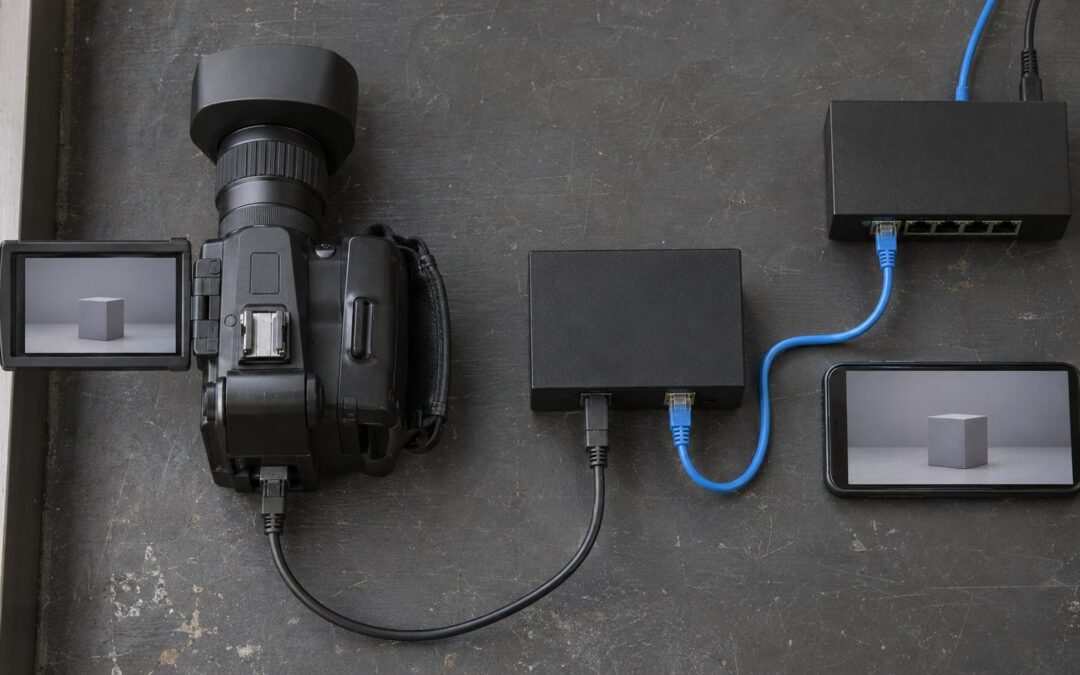
Live streaming transcoding converts an incoming video into versions suited to different devices and connections. For a webcam or paid-streaming platform, start with the source and viewer constraints, select a small adaptive bitrate ladder, and benchmark it at peak broadcaster concurrency. Passthrough can avoid unnecessary encoding; managed cloud or dedicated encoders supply processing when new renditions are required.
When live streaming transcoding earns its place
A creator sees a clear preview while a paying viewer sees a frozen picture. Live streaming transcoding helps when the source exceeds a viewer’s connection or decoding ability: create suitable versions rather than sending every viewer the original. Start with the smallest useful ladder, and expand only when playback tests justify it.
Transcoding decodes incoming video and encodes it again with a different resolution, bitrate or codec. Transmuxing changes the container or delivery packaging without re-encoding the picture. Passthrough preserves compatible media. These distinctions matter in a proposal: a server that repackages an incoming stream has not necessarily created a lower-bandwidth version for a struggling phone.
Consider a hypothetical paid coaching platform with public demonstrations and private consultations. Its initial plan is to send the creator’s original picture everywhere, preserving detail and avoiding encoder work. During rehearsal, a moving exercise sequence breaks up on a constrained mobile connection. The preview proves that the camera works; it says nothing about whether that viewer can sustain the stream.
Record source resolution, motion, frame rate, upload stability, viewer decoding support and available throughput. A talking face and rapid movement can need different encoding choices at identical dimensions. Upscaling a soft source cannot recover missing detail.
Separate broadcast requirements from conversation requirements. An adaptive bitrate broadcast offers alternative renditions that a player can select as conditions change. A private WebRTC consultation may instead adapt the sender or forward suitable layers; it does not automatically require the broadcast ladder. Use the guide to WebRTC live streaming to decide which sessions belong on that conversational path before budgeting broadcast encoders.

Build a rendition worksheet before buying compute
Use a rendition worksheet to connect each output to a viewer need and a measurable acceptance test. Adaptive bitrate outputs are the result you want; cloud services and dedicated encoders are alternative ways to produce them. Passthrough is sufficient only where the incoming media already fits the intended playback path.
For each source class, record the incoming codec, dimensions, frame rate and bitrate envelope. Then record supported viewer devices, the weakest connection you intend to serve, peak simultaneous broadcasters and expected viewing hours. Attach a representative clip with difficult motion or lighting. A ladder approved using a static face may disappoint as soon as the coach starts moving.
| Output | Video target | Viewer purpose | Acceptance check |
|---|---|---|---|
| Source / top | 1080p, 30 fps, 4 Mbps | Large-screen detail; pass through only if compatible | Source is clean; playback and packaging work |
| Middle | 720p, 30 fps, 2 Mbps | Reduce bandwidth while retaining movement detail | Movement remains understandable on target phones |
| Low | 360p, 30 fps, 0.6 Mbps | Keep constrained viewers watching | Faces and posture remain usable; no persistent stalls |
Every numeric setting in this worksheet is a hypothetical assumption for the coaching test. Use compatible audio across the outputs, and measure its bandwidth separately. For segmented adaptive playback, align keyframes and segment boundaries so the player can switch cleanly. The proposed ladder earns approval only after tests on actual target devices; the labels alone establish neither quality nor compatibility.
Passthrough avoids re-encoding work but cannot shrink an oversized stream. Managed cloud transcoding moves encoder provisioning to a service, while requiring scrutiny of quotas, supported inputs, billing units and content eligibility. Dedicated CPU or GPU encoders give your team control over configuration and reserved capacity, with responsibility for deployment, monitoring and spare capacity. Hardware acceleration is a candidate to benchmark, not a capacity guarantee.
For a concrete evaluation, compare a self-managed FFmpeg pipeline with a managed service such as AWS Elemental MediaLive. FFmpeg exposes an encoding workflow your team must operate; MediaLive is a managed live-video processing option whose current configuration and terms require verification during procurement. Neither choice replaces the worksheet. Ask both implementations to produce the same approved outputs from the same test material.

Count broadcasters for compute and viewers for delivery
Encoder demand follows simultaneous source streams and their output settings. Delivery demand follows viewers and the renditions they actually receive. Keep these quantities separate: a popular broadcast can add substantial traffic without requiring a separate encode for every viewer.
For the hypothetical coaching platform, assume 12 simultaneous broadcasts, the worksheet’s 3 outputs per broadcast, and 100 concurrent viewers per broadcast throughout a 1-hour event. Assume the source can pass through as the top output. That creates 36 delivered rendition paths but only 24 newly encoded video outputs. Audio processing and packaging remain additional work; they do not disappear with video passthrough.
Suppose a hypothetical benchmark finds that a worker sustains 4 complete broadcast pipelines, including their required processing, at the chosen acceptance thresholds. Propose a planning limit of 3 per worker to leave headroom. The platform therefore needs 4 active workers for 12 broadcasts, plus 1 equivalent spare for a worker failure: 5 provisioned workers. Validate that the spare can actually take over; idle hardware is not a recovery procedure.
For the same hypothetical event, assume 300 viewers receive 4 Mbps, 600 receive 2 Mbps and 300 receive 0.6 Mbps throughout. Aggregate video delivery is 2,580 Mbps: 300 × 4 + 600 × 2 + 300 × 0.6. Over the assumed hour, that is 1,161 decimal GB of video payload, calculated as 2,580 × 3,600 ÷ 8 ÷ 1,000. Add audio, protocol overhead and any separately billable transfers before applying a delivery quote.
This is a traffic estimate, not an invoice or a forecast of which rendition viewers will select. For comparison, sending the assumed 4 Mbps source to all 1,200 viewers would carry 2,160 decimal GB over the same hour. The ladder reduces modeled video payload by 999 GB, but adds encoding expense. It is cheaper only if avoided delivery charges exceed the added processing and operational costs under the actual contract.
Request separate quotes for processing, delivery, standby capacity and recording. Preserve their billing bases: input hours, output hours, worker hours and delivered bytes are different quantities. For the wider launch budget, how much does it cost to start a streaming service connects these infrastructure lines to the rest of the platform. Do not divide this event’s encoding cost by viewing hours and mistake the result for the vendor’s billing unit.
Prove the ladder survives imperfect sessions
A working demo establishes a happy path. Approval should require controlled tests for encoder overload, malformed input and quality changes during a paid session. Define acceptable playback and billing behavior before testing so a degraded stream cannot quietly become an unexplained charge.
In the proposed overload test, add broadcasters until processing misses its real-time deadlines. Watch queue delay, encoding throughput, dropped frames and rendition availability, alongside player stalls. Set admission limits below the measured failure point. If capacity runs out, preserve already admitted sessions and reject or queue new broadcasts explicitly. Remove a costly upper rendition only through a tested player-safe transition.
Feed the staging system truncated streams, unsupported formats, changing timestamps and excessive frame dimensions. Bound decoder resources and isolate failing inputs so a malformed publisher cannot consume a shared worker. The proposed fallback is to reject the input with an actionable creator message or request a supported source profile. Repeatedly restarting a decoder without a limit merely turns a bad stream into a busy server.
During a rehearsal, restrict the viewer connection, restore it, then change the creator’s camera resolution and interrupt the upload. Check downward and upward switches, audio continuity, reconnect behavior and access authorization. A lower rendition should remain available when the upper path fails. If it cannot, show an explicit interruption state and apply the platform’s disclosed charging policy rather than counting an invisible video as a successful session.
Some failures require a different decision. No rendition can repair a vanished upload, and a source below the ladder’s ceiling should not be stretched to meet it. For adult or other restricted content, verify processor and hosting eligibility before deploying the workflow; transcoding supplies neither age verification nor content rights. Handle playback access separately through secure live streaming, which addresses who may receive the media.
Turn the worksheet into an acceptance brief
Implement the smallest validated ladder, document its operating boundary and require a repeatable demonstration before launch. The coaching operator’s better decision is conditional transcoding for broadcasts, with a separately tested private-call path, rather than an expensive ladder attached indiscriminately to every session.
- Capture representative source clips and device playback results; identify which broadcasts genuinely need lower renditions.
- Complete the worksheet, then benchmark the entire pipeline with its exact codec, motion, audio and packaging settings.
- Measure peak admission capacity, reserve recovery capacity and rehearse overload, input rejection and mid-session changes.
- Pilot with consenting creators, inspect playback and charging records, then approve wider rollout against the documented acceptance criteria.
Require the player to demonstrate actual rendition switches and recovery, not merely display a quality menu. Use video player SDK selection to evaluate that client behavior alongside access control and playback diagnostics. Keep a record of failures by source profile and device so the next ladder change answers a demonstrated problem rather than a request for more impressive resolution labels.
The next action is a staged acceptance session using your own representative sources and the approved worksheet. Ask the delivery team to show capacity limits, a rejected malformed input and recovery from a connection change, then explain which parts are included and which require custom work. That evidence gives a founder something concrete to approve: a platform scope with an operating boundary, rather than a promise that streaming will scale.

Bring the operating brief to your platform discussion
Scrile Stream is white label software for branded streaming sites with private and group video sessions, paid access, per-minute sessions, tips and administration tools. It supports WebRTC or RTMP streaming, with custom development, design and hosting support available.
Bring your rendition worksheet and acceptance tests to a Scrile Stream consultation. Ask the team to distinguish the platform configuration from any custom transcoding integration, and confirm the implementation scope before committing to launch.
Frequently asked questions
Does every live stream need transcoding?
No. Compatible sources can pass through when their bitrate and format fit the intended viewers. Transcoding becomes useful when you need different resolutions, bitrates or codecs. Test the weakest supported playback conditions before choosing passthrough alone.
Is transcoding the same as adaptive bitrate streaming?
No. Transcoding can create the alternative renditions. Adaptive bitrate playback selects among available renditions as conditions change. Packaging, aligned switching points and player support must also work.
Can transcoding improve a poor webcam source?
It can make the source easier to deliver, but cannot recreate detail the camera never captured. Fix lighting, capture settings and upload stability before increasing output resolution.
How many renditions should a platform launch with?
Launch with the smallest set that passes representative device and connection tests. Add an output only when it serves a distinct viewer need or fixes a demonstrated quality gap; each extra encode consumes capacity.
Should private video calls use the broadcast ladder?
Not automatically. A conversational WebRTC path can adapt at the sender or use suitable layers. Test private consultations separately from public broadcast playback before assigning them the same processing pipeline.
Are dedicated encoders cheaper than cloud transcoding?
That depends on utilization, staffing, redundancy and contract billing. Compare the same input workload, approved outputs and recovery requirement. Include spare capacity and operations in the dedicated option.
What should happen when an encoder becomes overloaded?
Use a tested admission policy that protects active sessions. Queue or reject new broadcasts clearly, and change available renditions only through validated playback behavior. Explain interruptions and apply the disclosed charging policy.
What must a transcoding provider demonstrate before launch?
Ask for repeatable tests using your source material: supported device playback, peak broadcaster admission, worker recovery, malformed-input isolation and quality switches. Record the configuration and acceptance results with the delivery scope.