

Quick answer
The best healthcare benefit of video conferencing is not “saving a trip.” It is keeping care moving after the first visit: faster follow-ups, fewer missed check-ins, and cleaner handoffs for routine cases. That works best when the plan is already known and the next step is information-based, not hands-on. When a physical exam, urgent assessment, or diagnostic work is likely, video is a triage tool, not the finish line. The real question is simple: does this visit move the patient to the next safe step faster?
What the healthcare benefit actually is
Video conferencing in healthcare is useful when it helps a clinician answer the next clinical question without forcing the patient back into the building. That sounds obvious, but many teams still measure the wrong thing. A video slot can reduce travel time and still fail to improve care if it is used for the wrong visit type or if the handoff breaks after the call.
The practical value shows up in three places: access, continuity, and completion. Access means the patient can reach care without a trip. Continuity means the plan keeps moving after the first exam or diagnosis. Completion means the patient actually shows up, gives the needed information, and leaves with a clear next step.
Those three outcomes often overlap, but they are not the same. A patient in a rural area may gain access. A post-operative patient may gain continuity. A chronic-care patient may gain completion because a ten-minute video review is easier to keep than a full office visit. That distinction matters because healthcare teams usually talk about convenience and under-measure whether the care path is actually getting finished.
This is also why the strongest value is usually operational before it is financial. When a follow-up happens on time, the clinician gets the story sooner, the patient stays in the loop, and the care plan does not stall for another week. In practical terms, that can mean one less reschedule, one less missed work block, and one less broken handoff.
Access, continuity, and completion solve different problems
Access is the simplest win, but it is only the starting point. If the patient can connect yet still leaves without a decision, the clinic has improved convenience without improving care flow.
Continuity is the stronger healthcare benefit. It keeps treatment moving between visits, especially when the first appointment already established the diagnosis or the treatment plan.
Completion is the one most teams forget to measure. A visit only counts if the patient attends, gives usable information, and exits with a clear next step. If video raises that completion rate, it does more than shorten the commute; it reduces the chance of a stalled care path.
When video improves the outcome, not just the schedule
Video works best when the main task is history review, symptom update, medication check, results discussion, or a decision after an earlier exam. It also works when the care plan depends on short, repeated touchpoints that are easy to miss in person.
In follow-up-heavy workflows, a remote visit can recover time that would otherwise be lost to travel, caregiver logistics, or low urgency. That does not mean video replaces every appointment. It means the format removes friction from the visits that are already information-based.
Clinics that use video this way tend to see fewer broken loops in care. The clinician gets the update sooner, the patient hears the next step earlier, and the chart does not sit idle while everyone waits for a return visit.
| Visit type | Video fit | What improves | What still needs in-person care |
|---|---|---|---|
| Routine follow-up after an exam | Strong | Continuity, speed, completion | New physical findings |
| Chronic disease monitoring | Strong | Adherence, symptom tracking, reminders | Labs, imaging, procedures |
| Post-treatment check-in | Strong to moderate | Recovery review, escalation decisions | Wound care, complications, physical exam |
| First-time undifferentiated complaint | Moderate to weak | Triage and history collection | Physical exam, diagnostics |
| Urgent or high-risk symptom | Weak | Fast routing only | Immediate in-person assessment |
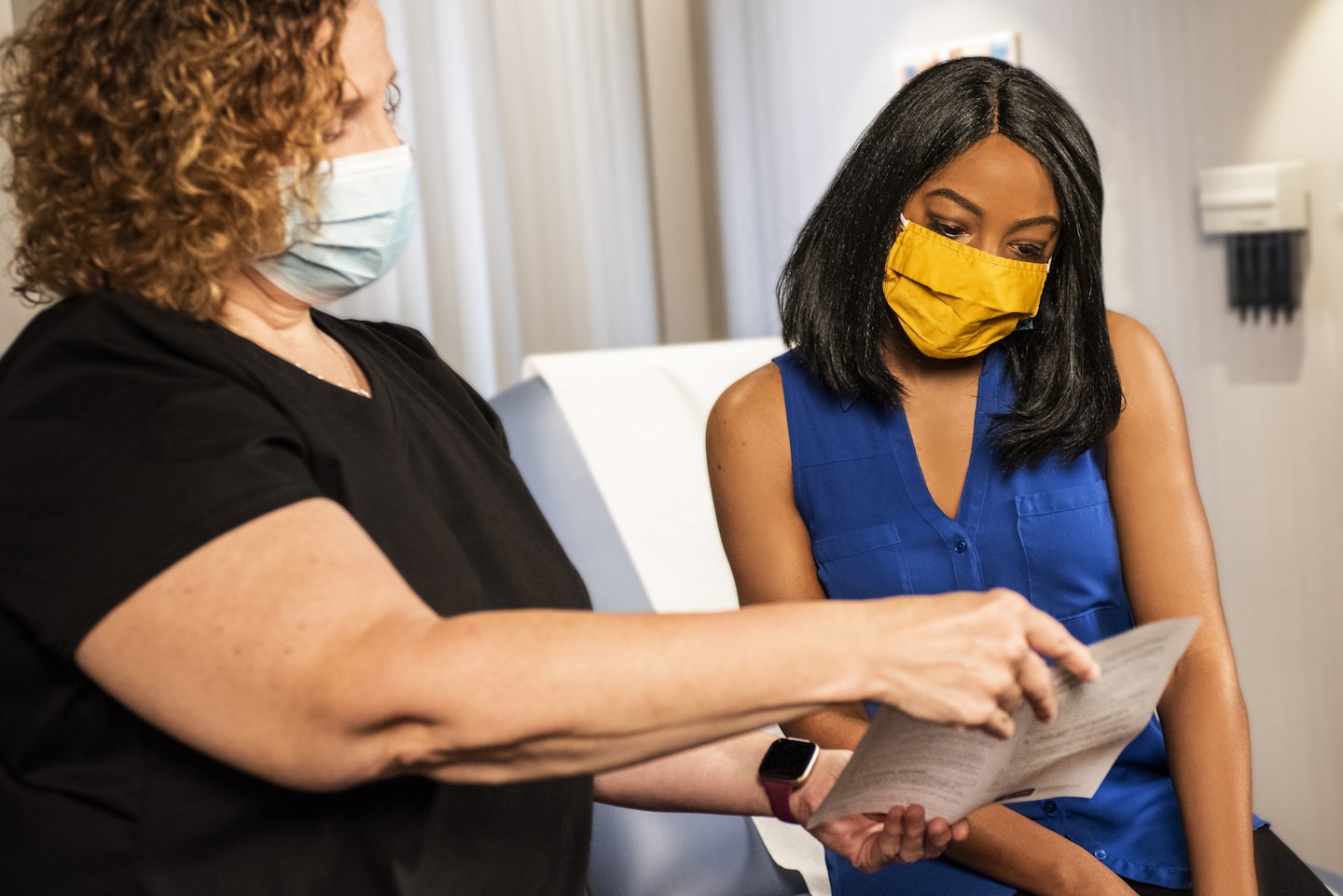
Where video consultations create the strongest value
The clearest gains usually appear after an in-person visit has already defined the problem. The first appointment handles the exam, testing, or diagnosis; the next one checks whether the plan is working. That is where a video call can save a full room slot without sacrificing the next clinical decision.
In outpatient care, that matters because the work is iterative. A patient may need a medication adjustment, a symptom check, a results review, or a short decision about whether the next step is still remote. A remote visit becomes a control point, not a downgrade.
Follow-ups after in-person care
This is the cleanest use case. The first visit establishes the problem, and the follow-up confirms whether the plan is helping.
When a nurse or physician can close that loop in ten or fifteen minutes by video, the clinic avoids another full appointment cycle. The patient avoids another commute, another missed work block, and another round of intake steps that add no clinical value.
Teams that build this path well usually see better follow-up completion because the friction is lower. That is the real benefit, not the call itself.
Chronic care and routine monitoring
Chronic care depends on repetition. Blood pressure review, diabetes check-ins, medication adherence, side effects, sleep changes, and symptom tracking all fit a short video review better than a new trip to the clinic.
For patients with mobility limits or unstable schedules, the effect is even stronger. One missed monthly check-in is manageable; six missed check-ins become a care gap that is hard to repair later.
That gap shows up in the chart as a follow-up that was “scheduled” but never completed. Video can reduce that churn when the patient mainly needs check-in, coaching, or plan review rather than a new physical examination.
Post-treatment check-ins
Post-treatment care is often about risk detection. The clinician wants to know whether the patient is recovering normally or drifting toward a complication.
Video helps because it shortens the time between a concern and a decision. If the patient reports pain, swelling, medication issues, or a change in symptoms, the team can decide whether the case stays remote or needs an in-person look.
A clear fallback rule matters here. Without it, a “quick check” turns into a long conversation that should have become an office visit five minutes earlier.
Remote and mobility-limited patients
Patients who struggle with transportation, caregiving logistics, disability, or distance gain the most obvious access benefit. In those cases, the alternative is often not a longer wait. It is no visit at all.
That is why rural patients and mobility-limited patients are not just a convenience story. They are the groups where video can prevent missed care outright.
One practical signal is repeated no-shows from the same geography or patient segment. When that happens, the problem is usually travel friction, not lack of interest.

Where the benefits stop
Video breaks down when the visit depends on touch, auscultation, palpation, a procedure, or immediate diagnostic work. At that point, video may still help with triage, but it cannot carry the whole decision.
The mistake is not using video. The mistake is using it to delay a needed exam.
Cases that need physical examination
New abdominal pain, concerning skin changes, chest symptoms, injury assessment, wound inspection, and many neurologic complaints often need more than a screen. The clinician may still collect history by video, but the visit should not end there.
That boundary should be visible before the appointment starts. Otherwise the patient assumes the remote visit was enough and the team spends time repairing the misunderstanding later.
It also costs more than it first looks. Two appointments instead of one means extra staff time, extra scheduling friction, and another slot that could have gone to a case better suited to remote care.
Acute or high-risk situations
High fever with worsening symptoms, breathing trouble, severe pain, sudden mental-status change, and potential emergencies should move to the right escalation path rather than stay on video by default. Video can help identify danger, but it is not the destination.
Once the call starts to delay the next safe step, the benefit is gone. The channel has turned from a shortcut into a bottleneck.
The operational rule is simple: if the case could deteriorate during the call, the video visit is only a triage bridge.
When workflow breaks the benefit
Even a good video setup fails when the workflow is vague. If the patient does not know what to prepare, who calls first, or what happens after the visit, the appointment feels clumsy and the outcome weakens.
That is why this topic is bigger than the meeting window itself. A team may use a secure video layer, a scheduling tool, and messaging, but if the handoff is fragmented, the benefit disappears before the clinician closes the call. For a deeper look at the trust and privacy side, see the sister page on confidential video conferencing.
What actually matters is whether the care path stays visible after the session ends. A remote visit that cannot produce a clear next step is just a video call with medical language around it.
What makes the benefit real in practice
Most of the value comes from the workflow around the call, not the call itself. If the clinic front-loads the right information and knows when to stop remote care, the video visit becomes a cleaner instrument. Without that structure, the team gets more contact but not more progress.
Scheduling and pre-visit preparation
Video follow-ups work better when the patient gets a short checklist before the call: symptoms, medications, recent readings, photos if needed, and the reason for the visit. That keeps the first minutes from being used to reconstruct the case.
In practice, that reduces wasted visits. A poorly prepared remote appointment can burn one slot and create another round of staff triage before the clinician even joins.
Simple preparation also improves completion. Patients who know what to gather are less likely to cancel, reschedule, or join empty-handed.
Escalation to in-person care
The most effective teams do not ask whether video is “good enough.” They decide in advance what will trigger an in-person handoff.
That rule can stay simple: a new red-flag symptom, missing exam data, a worsening report, or uncertainty after a short remote review. When the rule is visible, the clinician spends less time negotiating with the visit.
Without it, staff repeat the same conversation over and over. A vague remote-first policy usually adds delay because everyone has to decide the next step in real time.
Documentation and handoff
A video visit only helps if the plan survives the handoff into the chart, the task queue, or the next clinician’s view. If the next step sits in someone’s inbox, the continuity benefit falls apart.
That is where admin roles, reporting, and a clear owner matter more than a polished interface. In systems like Scrile Meet. The practical value comes from keeping scheduling, messaging, and session data together so the team is not hunting across tools after the call.
The same logic applies if the front end is Zoom for Healthcare, Doxy.me, or Microsoft Teams. The care path still has to stay visible after the session ends, or the remote visit becomes a one-off event instead of part of a treatment flow.
| Trigger | Owner | Timing | Output |
|---|---|---|---|
| Patient asks for follow-up by message | Front desk or care coordinator | Same day | Video slot or in-person slot assigned |
| Clinician sees stable recovery | Clinician | During visit | Remote follow-up booked |
| Red-flag symptom appears | Clinician | Immediate | Escalation to in-person or emergency care |
| Missing pre-visit data | Support staff | Before the visit | Checklist sent or appointment converted |
Common mistakes that remove the value
Most telehealth failures are not technical. They are visit-selection failures, instruction failures, or handoff failures.
The screen works. The workflow does not.
Using video for the wrong visit type
If the visit needs a hands-on exam, video is not the first choice. Using it anyway creates a false sense of progress and usually leads to a second appointment.
That second appointment is where the cost shows up: extra staff time, extra scheduling friction, and extra patient frustration. A bad remote-first decision can quietly add work to a path that should have been simple.
A better rule is to decide on the visit type before the appointment starts, not after the clinician is already on camera.
Weak patient instructions
Patients often join without a quiet space, stable connection, medications, or recent readings in front of them. Then the clinician spends the visit collecting basics that should have been ready before the call.
That wastes the main advantage of the channel, which is speed. A short preparation message can save more live time than another reminder ever will.
This is the kind of fix that feels small and changes the result more than most teams expect.
No fallback plan
Every video workflow needs a clean fallback. If the patient disconnects, the signal fails, or the case looks more serious than expected, the team should know the next move.
Without that plan, staff improvise. Patients wait. The benefit turns into delay.
Teams that get this right usually see calmer operations and fewer repeated calls because the next step is already defined.
How healthcare teams should use video
Start with visit types, not software features. Split the last twenty appointments into follow-up, monitoring, post-treatment, and exam-heavy cases. That gives you a real picture of where video already fits and where it simply adds another step.
Next, write one short rule for each bucket. If the case is follow-up or monitoring, what must be true for it to stay remote? If the case has red flags or needs examination, when should it move in person? A clear rule is what keeps the program from drifting into convenience theater.
Then give patients a pre-visit checklist and track completion for a month. In many clinics, that is enough to surface where the process is failing: before the call, during the call, or after the call. Once the gap is visible, it is much easier to fix.
Finally, assign one owner for escalation so the clinician does not have to invent the next step in the middle of the visit. If you want the trust and privacy side next, move to the sister guide on confidential video conferencing. If you need to compare video workflows by use case, the related guide on video teleconferencing shows how the format changes the care flow, and the article on online video consulting covers the consultation side more directly.
How Scrile Meet fits this workflow
For healthcare teams that care about continuity more than a standalone meeting link, Scrile Meet fits the part of the workflow that usually breaks first: scheduling, the consult itself, follow-up messaging, and the admin view that keeps the next step visible. That matters most when video conferencing in healthcare is part of a repeat-care process, not just a one-off call.
It is a better fit when a clinic, counseling practice, or care team needs a branded consultation flow with roles, reporting, and support for one-to-one or small-group sessions. It is less useful if the only requirement is a quick meeting link for occasional remote visits. In other words, the product makes the most sense when the benefit comes from follow-up and handoff, not from the video window alone.
Ready to build the setup behind this?
If this is the operating problem you need to solve, use the product page as the next step. It shows where build your setup fits and what the platform covers beyond a single payment widget.
Frequently asked questions
When should a healthcare team avoid video and switch to in-person care?
When the case depends on a physical exam, a procedure, urgent assessment, or anything that could worsen during the call. Video can start triage, but it should not delay the handoff.
What kind of visit gets the most value from video conferencing?
Follow-ups after an in-person exam, chronic care check-ins, post-treatment reviews, and other visits where the main task is information exchange rather than hands-on work.
How do you know whether video is improving care or just adding another channel?
Track follow-up attendance, reschedule rate, and how often the visit ends with a clear next step. If those numbers do not improve, the workflow is not strong enough.
What is the biggest risk if the clinic uses video for the wrong visit type?
Delay. Patients think they were seen, but the real decision still needs an exam or escalation, so the care path slows down instead of moving forward.
What should a team do if video visits are useful but the handoff keeps breaking?
Standardize the pre-visit checklist, set a clear escalation rule, and keep the follow-up owner visible in the same system. That usually fixes more than switching to a different call tool.
Why does workflow matter more than the video tool itself?
Because the benefit comes from what happens before and after the call. If scheduling, preparation, escalation, and documentation are weak, even a good platform will not improve outcomes much.