
Video conferencing in healthcare improves access, reduces costs, and supports continuous care — but only when it’s implemented properly. Secure systems, clear workflows, and patient-friendly access matter more than the tool itself. Clinics that get it right see fewer no-shows and better patient retention. Poor setup leads to compliance risks, technical issues, and loss of trust.
Video conferencing in healthcare stopped being a temporary workaround a few years ago. It quietly became part of everyday care. What started as an emergency response is now built into how clinics operate. Doctors use it for therapy sessions, follow-ups, quick triage calls, and long-term patient monitoring.
Patients got used to it fast. Many now expect to speak to a specialist without traveling or waiting weeks for an appointment. At the same time, providers are trying to keep that convenience without compromising security or clinical quality.
That balance is where things get complicated. Running video conferencing in healthcare is no longer just about turning on a camera. It raises practical questions about privacy, workflow, and reliability. The real issue today is simple: how to make remote consultations work as well as in-person care, without cutting corners.Short Answer / TL;DR
Why Video Conferencing Became Core to Healthcare
The shift toward video conferencing in healthcare didn’t happen gradually. It accelerated fast during COVID, then stayed. In the early months of the pandemic, telehealth usage increased by more than 30× in some regions. What’s more important is what happened after: usage didn’t drop to old levels. It stabilized into a hybrid model where in-person and remote care coexist.
Patients got used to speed. Booking a call is easier than traveling across the city. For non-emergency issues, many now choose remote visits first. Clinics see the same trend from the other side. Fewer physical appointments mean lower overhead, more flexible schedules, and the ability to serve more patients per day.
This is where medical video conferencing became practical, not experimental. It fits naturally into several types of care:
- mental health therapy and counseling
- routine follow-ups after treatment
- chronic disease monitoring
- consultations for patients in rural or underserved areas
NHS guidance puts it plainly:
“We encourage their use to support the delivery of care.”
— Using video conferencing and consultation tools, NHS Transformation Directorate
The result is a clear shift. Healthcare video conferencing is no longer an optional feature. It’s part of how modern care is delivered, especially where speed and accessibility matter most.
What Medical Video Conferencing Actually Includes
It’s easy to think this is just Zoom with a different label. In reality, medical video conferencing is a full system, not a single call window. The video itself is only one part of the process. Everything around it — before and after the call — matters just as much.
A proper setup usually runs on dedicated video consultation software that connects several pieces into one workflow:
- appointment scheduling and automated reminders
- access to patient records during the session
- secure communication with encryption and controlled access
- payments and billing for private consultations
This is where the difference becomes clear. Generic tools handle video calls. Healthcare video conferencing systems are built around medical workflows, privacy rules, and documentation needs. Without that structure, even a stable video call doesn’t meet clinical standards.
In practice, this setup supports very different use cases. A therapist can run weekly sessions without interruptions. A surgeon can check recovery progress after an operation. A specialist can consult a patient in another region without travel delays.
The technology itself is simple on the surface. What makes it work in healthcare is everything built around it.
7 Best Practices for Video Conferencing in Healthcare

Getting video conferencing in healthcare right is less about the tool and more about how it’s used. The same platform can work perfectly in one clinic and fail in another. The difference is usually in small decisions — security settings, how patients join, how doctors run the call.
Prioritize Data Security and Compliance
Security tends to be treated as a checkbox, but in healthcare it’s the foundation. Every call involves sensitive information, and that changes the requirements completely.
HIPAA, GDPR, NHS guidance — they all point in the same direction: control who sees what, protect data in transit, and keep records of access. That means encryption isn’t optional. Neither is access control. Even session logs matter when something goes wrong and you need to trace it back.
The problem is that many tools look secure on the surface but don’t give enough control underneath. They work fine for meetings, but not for patient data. That gap is where most compliance issues start.
Minimum requirement: encrypted connections, role-based access, and session logs enabled by default.
Common mistake: relying on default settings in generic tools without verifying compliance configurations.
Design for Patient Simplicity
You can have a perfectly secure system, but if patients can’t join the call, it doesn’t matter.
A lot of drop-offs happen before the session even begins. Too many steps. Account creation. Downloads. Confusing interfaces. It only takes one extra hurdle for someone to give up, especially if they’re not comfortable with tech.
The smoother setups usually feel almost invisible. A link arrives. The patient clicks it. The call starts. No setup, no friction.
That simplicity is not just convenience. It directly affects attendance rates and patient satisfaction. When people know it will be easy, they show up.
In practice, this means: no downloads, no account creation, and a single-click entry into the session.
Common mistake: forcing patients through multi-step onboarding that increases no-show rates.
Choose the Right Video Consultation Software
There’s a big gap between tools that “support video” and systems that can actually handle clinical workflows. This is where many providers make the wrong choice early and then spend months fixing it.
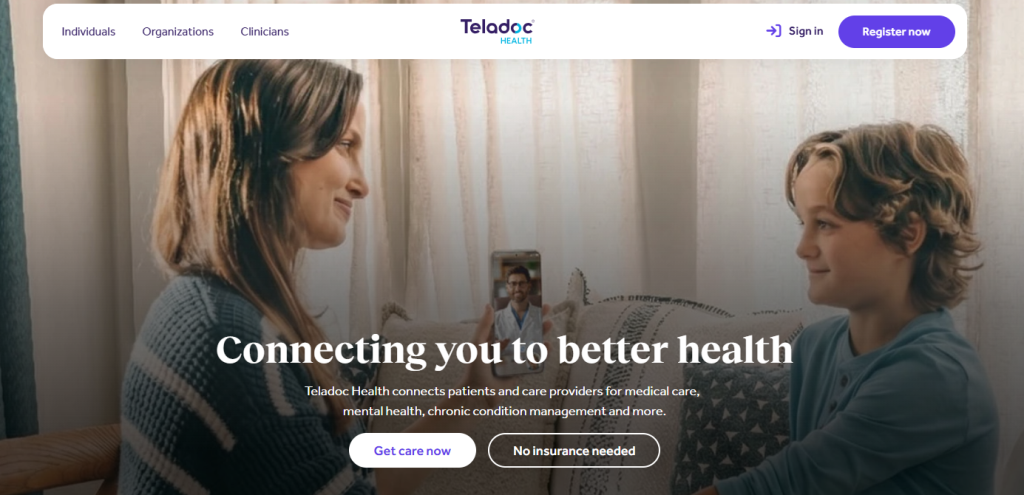
Some platforms are built specifically for healthcare. For example, Doxy.me focuses on simple browser-based sessions for small practices. Amwell and Teladoc Health are designed for larger providers with integrations and enterprise-level workflows. Zoom for Healthcare offers HIPAA-ready configurations, but still requires careful setup and internal policies. Even tools like Google Meet can be used in regulated environments, but only with proper configuration and access control.
When evaluating video consultation software, the interface is the least important part. What matters more is how the system behaves under real conditions:
- how data is encrypted and stored
- whether it integrates with EHR or internal systems
- how stable it is during multiple simultaneous sessions
- whether it can scale as patient volume grows
A small clinic can start with a lightweight solution. But once the number of consultations increases, limitations show up quickly. That’s usually the point where teams realize they didn’t just choose a tool — they chose an infrastructure that now defines how they work.
Minimum requirement: healthcare-grade encryption, stable performance under load, and integration with patient data systems.
Common mistake: choosing tools based on interface alone instead of long-term scalability and compliance.
Structure the Consultation Experience
A video call without structure tends to drift. The doctor asks a few questions, the patient jumps between topics, something gets missed, and the session ends without a clear outcome.
In a physical setting, part of that structure comes naturally. In remote care, it has to be intentional.
It helps when patients know what to expect before the call. Even a short message — what to prepare, how long it will take — changes the tone. During the session, having a clear sequence keeps things focused. Afterward, a short summary or next step avoids confusion.
When this is missing, time gets lost. When it’s consistent, sessions become faster and more useful without feeling rushed.
In practice, this means: clear pre-call instructions, a defined consultation flow, and documented follow-up steps.
Common mistake: treating video sessions like informal calls without structure or documentation.
Optimize Video & Audio Quality
This is where small details start affecting real outcomes.
If the image is too dark or unstable, it becomes harder to notice visual symptoms. If the audio cuts out, explanations get repeated or misunderstood. Over time, that adds friction on both sides.
Lighting is often the simplest fix. Facing a window instead of sitting with bright light behind makes a huge difference. Camera angle matters too. A slightly adjusted phone position can make a patient clearly visible instead of partially out of frame.
Connection issues are harder to control, especially for patients in remote areas. That’s why fallback options matter. A system should allow switching to audio or reconnecting without restarting everything.
Minimum requirement: stable internet connection, proper lighting, and a clearly visible patient setup.
Common mistake: ignoring poor video conditions that can impact clinical judgment.
Train Medical Staff, Not Just Deploy Tech

Installing a system doesn’t mean people know how to use it well.
Remote consultations change the rhythm of communication. There’s a delay, even if it’s small. Eye contact feels different. Silence feels longer. Some doctors rush through explanations, others hesitate too much.
It’s not a technical issue, it’s behavioral.
Short internal training sessions make a real difference. Nothing complex — just practical guidance. Doctors should learn how to start a call confidently, guide patients through simple checks, and handle interruptions or technical issues without losing control of the session.
This is where medical video conferencing turns into a skill. Clinics that spend a bit of time here usually see immediate improvement.
In practice, this means: short internal training on remote communication, patient guidance, and handling technical interruptions.
Common mistake: assuming doctors will adapt naturally without structured onboarding.
Build Trust Through Transparency
Patients don’t always know what a remote consultation can realistically do. Some expect the same depth as an in-person visit. Others assume it’s less reliable.
Both assumptions can create problems.
It helps to explain things clearly before the session even starts. What can be assessed over video, what cannot, and when a physical visit is still necessary. That clarity removes uncertainty.
Privacy also plays a role here. Patients are more open when they understand how their data is handled. If that part feels vague, trust drops quickly.
When expectations are clear, the interaction changes. Patients engage more, ask better questions, and follow recommendations more closely.
That’s when video conferencing in healthcare stops feeling like a workaround and starts working as a reliable part of care.
Minimum requirement: clear communication about limitations, data handling, and consent before the session.
Common mistake: overpromising what remote consultations can deliver.
Platform Comparison: What Works for Healthcare and What Doesn’t
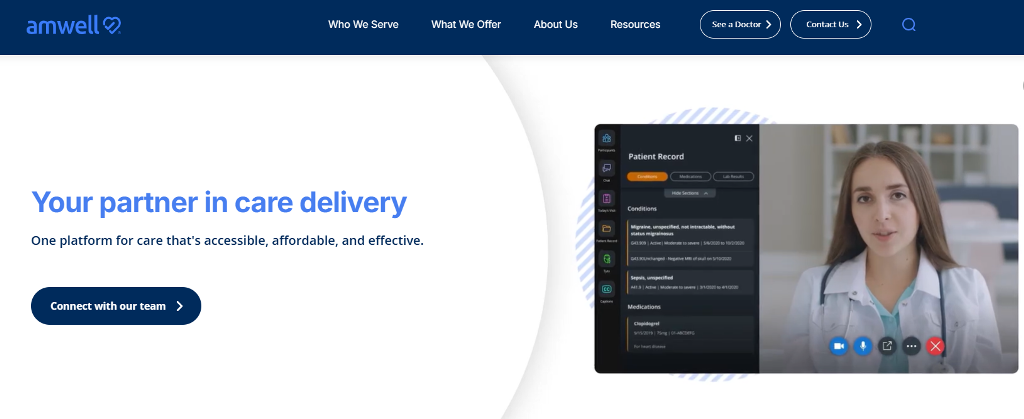
Not every tool that supports video is suitable for clinical use. The differences become obvious once you look beyond the call itself — especially when privacy, scaling, and workflow integration come into play.
| Type of Solution | Example Tools | Pros | Limitations | Best For |
| Generic video tools | Zoom, Google Meet | easy to use, fast setup | weak compliance control | internal meetings |
| Telehealth platforms | Doxy.me, Amwell | built for healthcare | limited customization | small clinics |
| Custom-built systems | custom solutions | full control, scalable | higher initial cost | growing providers |
Cost & ROI: Is Video Conferencing for Healthcare Worth It?
This is a simplified example to illustrate the potential impact, not a universal benchmark.
A clinic sees 20 patients per day, with an average consultation price of $80. That’s $1,600 daily revenue. Now assume 30% of visits (6 patients) move to a medical video conference format.
Savings first:
- room cost per visit (utilities, cleaning, space): ~$8 → 6 × $8 = $48/day
- admin time per visit (~5 minutes at $20/hour): ~$1.7 → 6 × $1.7 ≈ $10/day
Total daily savings ≈ $58
Now attendance. If no-show rate drops from 15% to 5%:
- previously: 3 missed visits/day → $240 lost
- now: 1 missed visit/day → $80 lost
Recovered revenue: +$160/day
Now capacity. Remote visits reduce gaps and allow 3 extra appointments daily:
- 3 × $80 = +$240/day
Final picture (per day):
- savings: $58
- recovered no-shows: $160
- extra capacity: $240
Total impact: ~$458/day → ~$9,000/month
That’s why video conferencing healthcare is not just about convenience. Done properly, it directly increases revenue while reducing operational waste.
Building a Scalable Healthcare Video Platform with Scrile Meet
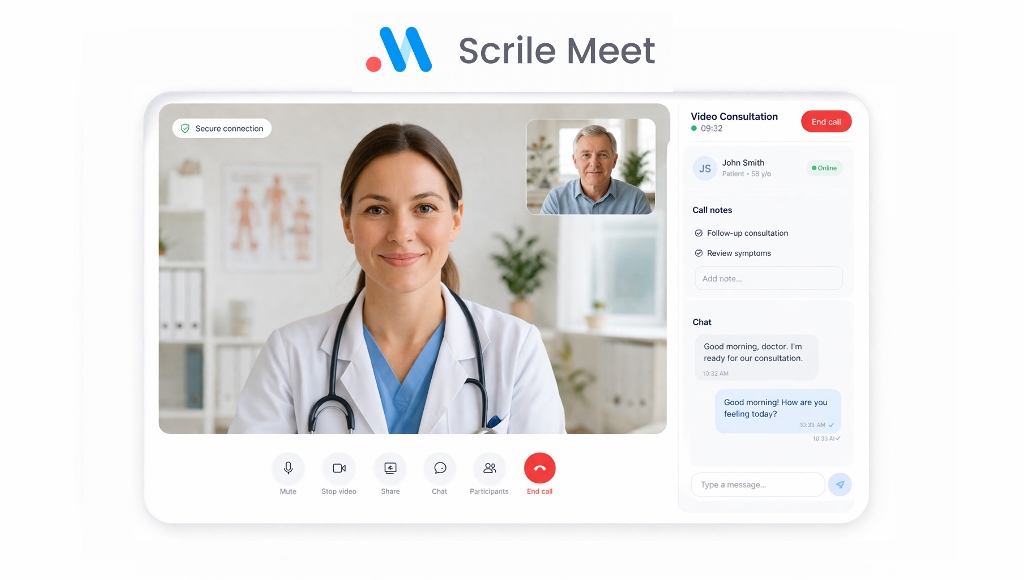
At some point, off-the-shelf tools start getting in the way. They work in the beginning, but limits show up as soon as the workload grows or requirements become stricter.
The usual issues are predictable. You can’t fully control how data is handled. Branding is minimal or locked. Compliance depends on the provider’s settings, not your own policies. Even small workflow changes become difficult because the system isn’t built around your process.
This is where a different approach makes sense.
Scrile Meet is not a ready-made platform. It’s a custom development solution designed to build video conferencing in healthcare systems around your specific needs. Instead of adapting your clinic to a tool, the system is built to match how you already work.
Core capabilities typically include:
- secure video consultations with controlled access
- integrated payments for private services
- scheduling and appointment management
- patient data handling and communication tools
- fully branded, white-label interface
What this gives you in practice:
- full control over workflows and patient experience
- infrastructure that scales with your volume
- compliance aligned with your internal requirements
For clinics planning long-term growth, this level of control becomes critical.
How to Choose the Right Setup
Choosing a setup depends less on budget and more on how your workflow is evolving.
| If you are | What works best |
| small practice | simple telehealth tool |
| scaling clinic | integrated system |
| enterprise provider | custom infrastructure |
Simple tools are enough when volume is low and processes are straightforward. But once patient flow increases, gaps start to appear — limited integrations, rigid workflows, and growing compliance concerns.
That’s usually the point where SaaS stops fitting. If you find yourself adapting your process to the tool instead of the other way around, it’s time to consider a more flexible setup.
Conclusion
Video conferencing in healthcare is no longer optional. It has become a standard part of how care is delivered. What makes it work is not the tool itself, but how it’s implemented.
Clinics that approach it seriously — with clear workflows, strong security, and a smooth patient experience — see real improvements. Fewer no-shows, better communication, and stronger patient trust.
The details matter. Pricing, consultation structure, compliance, and usability all shape the outcome.
If you plan to scale remote care or build a long-term solution, off-the-shelf tools often become limiting. In that case, it makes sense to build a system tailored to your needs.
Contact the Scrile Meet team to develop a custom healthcare video conferencing platform with secure infrastructure, integrated payments, and full control over your workflows.
FAQ
What video conferencing is HIPAA compliant?
Several tools can be used in HIPAA-sensitive environments when configured correctly and supported by the right agreements. Google Meet is one example. Organizations such as the NIHR have used it for internal collaboration and communication with patients. Browser-based access also makes it easier for patients because there is no need to install software. Still, compliance does not depend on the tool name alone. It also depends on account settings, access control, data handling, and the provider’s internal policies.
What are the benefits of video conferencing?
The benefits are practical and immediate. Video calls improve communication, reduce travel, save time, and make scheduling easier. They can also increase attendance rates because patients are more likely to join a remote session than travel for a short follow-up. For providers, the gains often include better efficiency, less wasted admin time, and the ability to serve more people without expanding physical space.
What are the 2 main types of video conferencing systems?
The two main types are point-to-point and multi-point systems. Point-to-point means a direct session between two locations or two participants, such as a doctor and a patient. Multi-point systems connect three or more participants at once. In healthcare, that can mean a patient, a specialist, and a local clinician joining the same consultation or a team discussion across departments.
How much does telemedicine video software cost?
The price varies depending on the model. A small clinic using a standard subscription tool may spend a few hundred dollars per month. More advanced systems with integrations, scheduling, patient records, and branded workflows can cost much more. Custom-built solutions require a higher initial investment, but they offer more control and scale better over time.
Are there security risks in healthcare video calls?
Yes, if the system is poorly configured. Risks include weak access control, unsecured links, improper data storage, and unclear recording policies. In healthcare, these issues matter because consultations often involve sensitive personal information. That is why providers need strong encryption, clear user permissions, secure login rules, and internal guidance for staff.
What healthcare services work best over video?
Video works especially well for mental health sessions, follow-up appointments, medication reviews, chronic condition monitoring, and routine consultations that do not require a physical exam. It is also useful for specialist access in remote areas. Emergency care and situations requiring physical assessment are less suitable for a video-first format.
What is the difference between telehealth and video conferencing?
Video conferencing is the communication method. Telehealth is the broader service model. A video call may be one part of telehealth, but telehealth also includes scheduling, remote monitoring, messaging, digital prescriptions, and follow-up care. In other words, video is the channel, while telehealth is the full care process built around it.
Can small clinics implement video conferencing successfully?
Yes. Small clinics often start faster than large systems because there are fewer approval layers and less technical complexity. A simple browser-based setup can work well at the beginning. The important part is choosing a secure system, keeping the patient journey simple, and making sure staff know how to run remote consultations properly.