


White label video conferencing lets you run video calls under your own brand, inside your own product. You can implement it in three ways: ready-made white-label platforms, APIs/SDKs, or standard SaaS tools. SaaS is quick but limits branding and monetization. APIs and white-label solutions give more control, with different levels of effort. The choice depends on how much control, speed, and revenue ownership you need.
Nobody wants to send their users to Zoom anymore. The moment a client leaves your site and lands on a generic meeting page, something breaks. It stops feeling like your product and starts feeling like a workaround.
This becomes a real issue for coaching platforms, telehealth services, paid consultations, and marketplaces. The call isn’t just a technical step. It’s part of what people are paying for. If that moment happens outside your product, you lose control over how the experience feels and how money flows through it.
That’s where white label video conferencing comes in. The call happens right inside your platform, as part of the same journey your users already follow. Booking, joining, paying — everything stays connected.
In this guide, we’ll walk through the real options available today, compare how they work, and help you choose the setup that actually fits your business.
What White Label Video Conferencing Actually Means
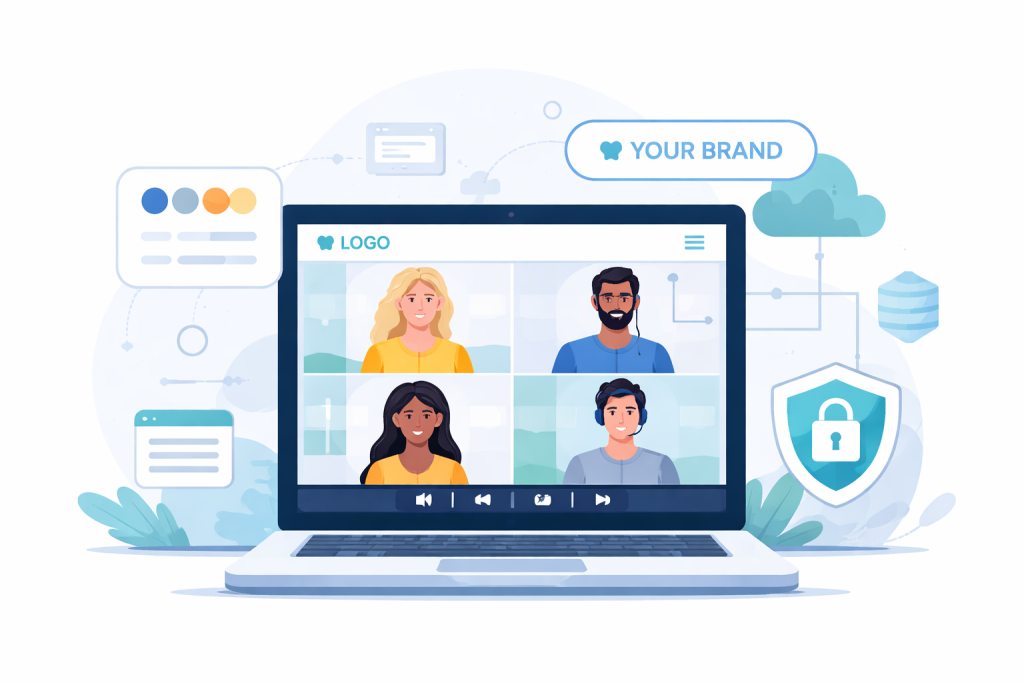
White label video conferencing means your users join calls inside your own product, not through an external link. With Zoom or Google Meet, you send people to a third-party page. The meeting works, but the experience no longer feels like yours. That disconnect matters when video is part of your core service.
In a white-label setup, the call is built into your platform. A user books a session, clicks join, and stays in the same environment the whole time. It feels like one product, not a chain of tools.
What “white label” actually includes:
- Domain
Calls run on your own domain or subdomain, so users never leave your site. This keeps trust high and avoids confusion, especially when money or sensitive conversations are involved. - UI/UX
The interface follows your design, not someone else’s. Colors, layout, and controls match the rest of your product, so the call feels like a natural extension of it. - User flow
You decide how users move from booking to joining and what happens after. For example, a client can schedule, join, and get follow-up steps in one continuous flow. - Payments
You can connect payments directly to sessions. A user pays, gets access, and joins the call without switching between tools or links.
For example, a coaching platform can handle booking and calls in one dashboard. A telehealth service can run appointments and video visits in the same system.
“By removing barriers and enabling users to connect face-to-face without ever leaving your platform, you foster a strong sense of community and human connection. Suddenly, your digital space becomes more than just another app—it transforms into an immersive virtual hangout that keeps users returning time and again.”
— Digital Samba, Boosting User Engagement with Embedded Video Conferencing Features
What Users Expect From a Modern Video Product

When video is part of your service, people judge the whole experience through it. If something feels slow or confusing, they don’t separate the call from your product.
Most teams look for a setup that covers the essentials without extra friction:
- 1-on-1 and group calls — switching between private sessions and group meetings should feel seamless. A coach, for example, might run both in the same day.
- Recording — sessions are often revisited later. This matters for training, onboarding, and client work.
- Chat — quick messages during a call help share links or clarify details without interrupting the flow.
- Screen sharing — needed for demos, teaching, or support. It becomes part of everyday use, not an optional feature.
- Scheduling — booking and joining should feel connected. Users expect a clear path from choosing a time to entering the session.
- Payments integration — if sessions are paid, access should depend on payment. This removes manual follow-ups.
- User roles — someone hosts, others join, and admins manage access. Without this, even simple sessions get messy.
- Branding — the call environment should match the rest of the product so users don’t feel like they’ve left it.
The Hidden Requirements Most People Miss
The difference shows up under pressure. When more users join, stability becomes the first thing everyone notices. Mobile access quietly turns into a requirement once people start joining from anywhere. The way users enter a call matters too. If it works in a browser, they move faster. If they have to install something, some of them won’t make it in at all. Over time, usage data becomes just as important as the calls themselves, because it shows what actually happens after launch.
Three Ways to Build White Label Video Conferencing

Once you start looking into white label video conferencing, you realize there isn’t just one way to do it. People usually arrive here after trying Zoom links and feeling the limits. Then the question becomes practical: do you plug something in, build it, or keep using what you already have?
Let’s break it down in a way that reflects how these choices actually play out.
White-Label Platforms (Fastest to Launch)
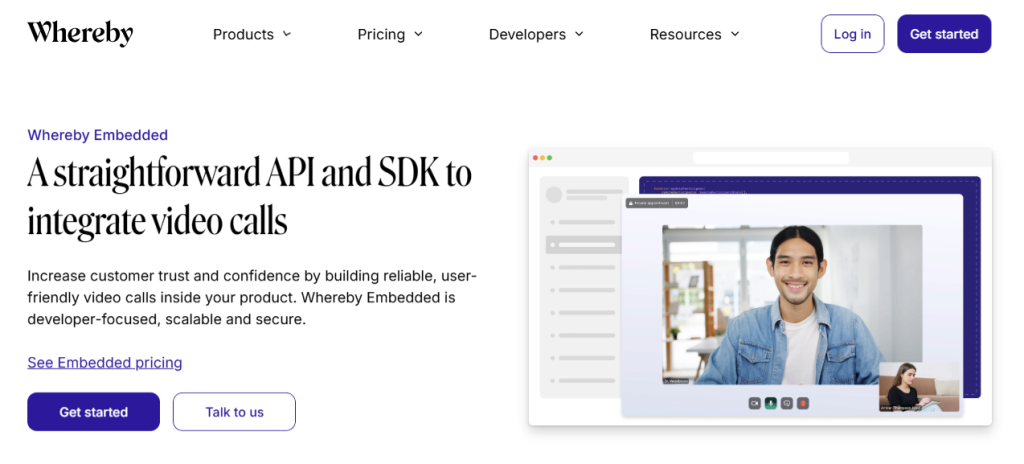
This is the closest thing to a ready-made solution. You take an existing video system, adjust the branding, and connect it to your product.
Some solutions in this category, like Whereby Embedded or Digital Samba, are technically API-based. However, they provide a higher-level starting point with built-in features, which is why they are often treated as white-label platforms in practice.
You don’t start from zero. Most of the heavy lifting is already done.
Pros:
- You can launch quickly without building core video infrastructure
- Features like recording or chat are already there
- Maintenance is mostly handled by the provider
Cons:
- You work within someone else’s structure
- Custom flows can feel constrained
- Pricing can become noticeable as usage grows
APIs / SDKs (More Flexible)
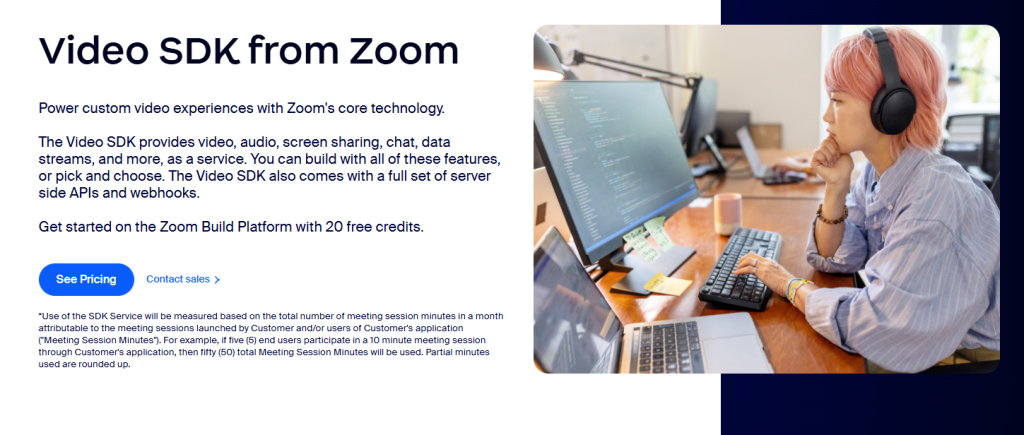
This route feels very different. Instead of getting a finished tool, you get components. You decide how everything fits together.
Tools like Twilio Video, Zoom Video SDK, and Daily operate at a lower level compared to embedded solutions. They give you full control, but require building the product logic yourself.
Teams choose this when video is not just an add-on but part of the product itself.
Pros:
- You control how calls are created, accessed, and managed
- It’s easier to connect video with payments, dashboards, or custom logic
- The product can evolve without being tied to a fixed structure
Cons:
- You need developers to build and maintain it
- More decisions around infrastructure and scaling
- Costs depend on usage, which requires planning
Traditional SaaS Tools (Limited for Branding)

This is where most people start. Zoom, Google Meet, and similar tools solve the basic problem quickly.
They work. But they don’t behave like white label video conferencing.
Pros:
- You can start immediately
- No setup beyond creating an account
- Reliable for simple use cases
Cons:
- Users leave your platform every time they join a call
- Branding is minimal or nonexistent
- Payments, booking, and calls live in separate systems
Which Option Fits Your Case
| Option type | Time to launch | Branding control | Monetization | Tech complexity | Best for |
| SaaS (Zoom, Meet) | Immediate | Very limited | External tools required | Very low | Simple calls, internal meetings, early-stage testing |
| White-label platforms | Days to weeks | Moderate to high | Built-in or partially integrated | Low to medium | Coaching services, telehealth, marketplaces needing faster launch |
| APIs / SDKs | Weeks to months | High | Fully customizable | Medium to high | SaaS products, startups building video into core functionality |
| Custom-built solution | Weeks to months | Full control | Fully owned and deeply integrated | High | Businesses where video is central to revenue and user experience |
Real Platforms and Tools: What You Can Actually Use
When you compare real tools for white label video conferencing, the biggest difference isn’t features. It’s how pricing behaves once people actually start using your product.
Digital Samba, for example, is not a “fixed license” tool. It’s usage-based, just like APIs. Pricing starts from around €0.0026 per participant-minute, with a free tier that includes 10,000 minutes per month.
That makes it one of the cheaper entry points, especially for EU-focused products where GDPR matters.
Whereby Embedded works in a similar way. It offers a small free tier, then moves to $0.004 per participant-minute, with a base plan starting at $9.99/month.
So despite being positioned as a “platform,” it behaves very much like an API in terms of cost scaling.
Now look at API-first tools. Twilio Video also starts at about $0.004 per participant-minute, and Zoom Video SDK measures usage the same way, counting total meeting minutes across all participants.
Here’s what that means in reality:
- 8 users
- 45-minute session
→ 360 participant-minutes
→ roughly $1.40–$1.50 per session
At small scale, that feels negligible. Once you run hundreds of sessions per week, the math changes quickly. At larger scale, some providers move away from per-minute billing and offer custom pricing based on volume or infrastructure needs.
This is the part most people underestimate. These tools look similar on the surface, but the pricing model is what actually shapes your margins.
Example: How Monetization Changes the Economics
Numbers from pricing pages don’t tell you much until you put them next to real usage.
Say you charge $20 per session and run 100 sessions in a month.
Revenue:
- 100 × $20 = $2,000
Now the costs.
Video (usage-based tools):
- ~1.5 per session × 100 ≈ $150
Payment platform (typical cut ~15%):
- $2,000 × 0.15 = $300
What’s left:
- $2,000 − $150 − $300 = $1,550
That’s the part people don’t notice at the start. The video cost is visible. The bigger loss usually comes from how payments are handled and where users go during the process.
With white label webinar software, payment and access sit in the same flow. People pay, join, and stay inside your product. Fewer drop-offs, fewer third-party cuts.
Security, GDPR, and Data Ownership

GDPR comes up fast once real users are involved. If you’re working with EU clients, you need to know where session data is stored and who has access to it. Some providers keep everything inside EU data centers, others route traffic through global infrastructure. That difference matters the moment someone asks about compliance.
Storage is where things get concrete. Recordings, chat logs, and session details don’t disappear after a call. They sit somewhere, often on provider servers. If you can’t clearly explain where that data lives and how long it stays there, it becomes a risk.
Encryption is usually handled through WebRTC. Video and audio streams are protected in transit by default. That’s standard. What’s less obvious is what happens after the call. If recordings are stored or processed, the level of control depends on the setup you use.
Ownership is the part many overlook. In some cases, user data stays tied to the provider’s system. In others, you decide how it’s stored, moved, or deleted. That difference affects how much control you actually have over your product.
Before choosing a provider, it helps to check a few practical things:
- Where is user data actually stored — EU, US, or distributed globally?
- Who controls recordings and session logs after the call ends?
- Can you define how long data is kept and when it is deleted?
- Is access to sessions tied to your own system or managed externally?
- Can you explain your data flow clearly to a client if they ask?
Integrations and Scalability
At some point, white label video conferencing stops being just a call and turns into part of a larger system. That’s where integrations and scaling start to matter.
- CRM integration connects sessions to real users. A call can be tied to a deal in HubSpot or a customer record in Salesforce, instead of living as an isolated event.
- Calendar sync removes manual coordination. Bookings, reminders, and updates stay aligned without extra steps.
- Scaling is rarely smooth by default. A setup that works for 10 users can struggle when 1,000 people join across multiple sessions. The difference depends on how infrastructure handles load.
- Infrastructure itself varies more than it seems. Some providers handle scaling automatically, others expect you to plan capacity, manage limits, or adjust configurations as usage grows.
These details usually stay invisible at the start. They become critical once usage increases and the system is no longer running small test sessions.
Where SaaS Tools Hit Their Limits
At the beginning, SaaS tools feel convenient. You create a link, send it, and the call works. That’s usually enough for internal meetings or early testing.
The cracks show up once video becomes part of the business itself.
- No control over UX
The interface belongs to the provider. You can’t shape how users move through the experience or connect it to your product logic. - No built-in payments
Charging for sessions means stitching together external tools. Booking, payment, and the call live in separate places. - Brand dilution
Every session happens under someone else’s interface. Your product fades into the background at the most important moment. - User leakage
When people leave your platform to join a call, you lose control over what they do next. Some don’t return. - Limited automation
You can’t fully connect sessions with your own workflows. Reminders, access control, and follow-ups stay fragmented.
This is where the shift happens. Video stops being a utility and starts becoming part of the product.
Scrile Meet: Building Your Own Branded Video Product
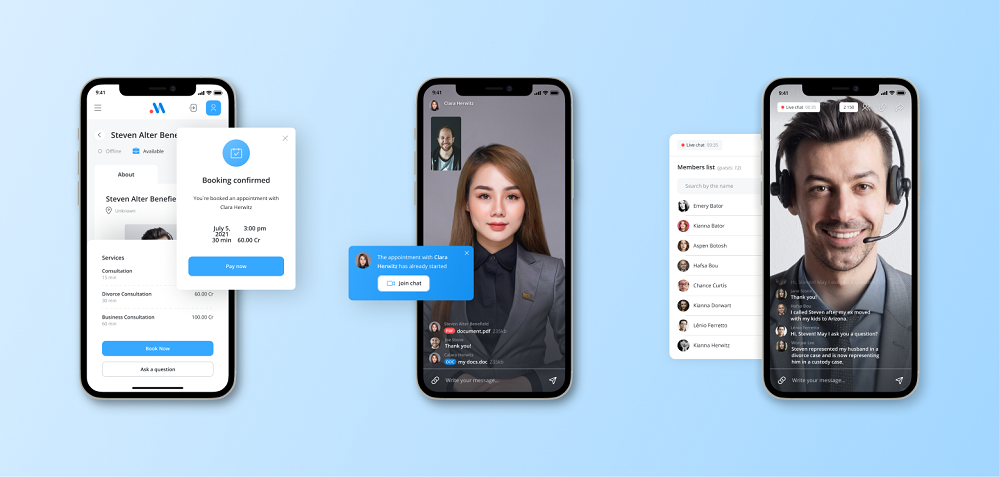
Scrile Meet is not a platform you sign up for and adapt to. It’s a development service that builds a video-based product around your business model. The goal is simple: make video sessions feel like a native part of your service, not something bolted on.
Think about how your users move through the product. They book a session, pay for it, join the call, and continue afterward. With Scrile Meet, that entire sequence is designed as one continuous flow inside your environment. You’re not connecting separate tools — you’re working with a system built around your logic.
What gets implemented with Scrile Meet depends on your case, but typically includes:
- booking that reflects your own rules, not a generic scheduling widget
- payments tied directly to session access, without manual steps
- video calls embedded into your interface, under your brand
- consultation formats shaped around how you actually work with users
This approach works well when sessions are central to the business. Coaching services, telehealth platforms, expert marketplaces, internal corporate systems — all of them benefit from keeping everything in one place.
Compared to SaaS tools, you don’t lose users between steps. Compared to API-based setups, you don’t start from zero. With white label video conferencing, the focus shifts from tools to how your product actually operates.
What Should You Choose?
- If you sell sessions directly (coaching, consulting, telehealth), the priority is simple: booking, payment, and video must work as one flow. In this case, white-label platforms or custom-built solutions make the most sense, because they reduce friction and keep revenue inside your product.
- If you’re building a SaaS product where video is just one feature, APIs and SDKs give more flexibility. You can integrate video into dashboards, user roles, and workflows without being tied to a fixed structure.
- If your goal is to launch quickly and test demand, standard white-label platforms are usually enough. They let you go live without heavy development and adjust later if the product grows.
- If you need full control over user experience, data, and monetization logic, a custom-built solution becomes the better fit. It takes more effort, but it allows you to shape the product exactly around your business.
Conclusion
White label video conferencing gives you something standard tools never will: control. You decide how the experience looks, how data is handled, and how revenue flows through your product. Video stops being a separate tool and becomes part of how your business operates.
More companies are moving away from generic meeting links and building video directly into their platforms. It’s no longer an extra feature. It’s part of the core product.
If you’re ready to move in that direction, the next step is simple. Talk to the Scrile Meet team and build a solution that fits your business instead of adapting to someone else’s.
FAQ
What does white label video conferencing mean?
It means video meetings run under your own brand, domain, and interface instead of sending users to a third-party service. The call becomes part of your product rather than a separate tool.
Who needs white label video conferencing software?
It works well for coaching, telehealth, recruiting, education, support, and any business that wants branded meetings inside its own product. It is especially useful when sessions are tied to revenue or customer experience.
Is white label conferencing better than using Zoom links?
It can be a better choice when branding, data control, custom workflows, or embedded booking and payments matter. Zoom links are faster to start with, but they give you much less control.
How much does white label video conferencing cost?
The cost depends on the model: Most tools charge per participant-minute, while larger or enterprise setups often move to custom pricing based on usage, features, or scale. The total usually depends on session length, number of users, recordings, and integration needs.
Should I choose an API or a white-label platform?
An API is better when you want deeper customization and have development resources. A white-label platform makes more sense when you want to launch faster with less technical work.
Does WebRTC matter when choosing a solution?
Yes, because WebRTC is the technology behind most browser-based real-time video tools. It affects call quality, latency, and how easily users can join without installing extra software.
Can white label video conferencing scale for a growing business?
Yes, but scalability depends on the provider’s infrastructure and pricing model. A setup that works for dozens of users may need a different architecture when usage reaches thousands.
Can I integrate white label video conferencing with CRM and calendars?
Yes, many solutions support CRM, calendar, and payment integrations either directly or through APIs. That matters if you want booking, reminders, customer data, and session access to work together.