
Nobody enjoys watching a video that stutters, freezes, or loads forever. It’s annoying — and for creators or businesses, it means people leave before the message even lands. Optimizing video playback makes all the difference between a viewer staying or closing the tab.
When playback isn’t smooth, you lose engagement. Blurry visuals, delays, or broken frames hit harder on phones, especially when users are on the move or saving battery. These small issues quickly turn into big drops in retention.
In this article, we’ll go through how to fix that. Real tips, working examples, and smart adjustments you can make to deliver better performance — not just for one screen, but across devices and network conditions.
What Causes Poor Video Playback Performance?

Most bad playback comes down to a few things: your file is too big, your setup is too slow, or the viewer’s device can’t handle what you’re sending.
If your video takes forever to load or keeps freezing, check the basics. Is the video compressed properly? Are you streaming through a CDN? If not, you’re forcing every viewer to load the file from a single server. That’s slow.
Mobile viewers often get the worst of it. Older phones and browsers might choke on newer video formats. Or the video doesn’t resize well. Or it tries to stream in HD even when the connection is weak. That’s where adaptive streaming matters.
And even on your end, using the wrong codec or skipping proper bitrate settings can ruin everything.
Here’s where things usually go wrong:
- Videos aren’t compressed or resized — just raw files dumped online
- No CDN, so the distance to the server adds lag
- No adaptive bitrate, so videos try to stream in full quality every time
- Format problems — like H.265 videos trying to play on devices that don’t support them
This stuff adds up. If your goal is optimizing video playback, don’t skip the groundwork. One wrong decision can make even a good video feel broken. That’s why it’s critical to optimize videos before uploading — not just for quality, but for compatibility and load speed.
Best Techniques for Optimizing Video Playback
Video that buffers, stutters, or drains a viewer’s battery won’t keep anyone watching. If you want a smoother experience, these methods actually move the needle.
Adaptive Bitrate Streaming (ABR)
Instead of forcing a single quality level, ABR dynamically adjusts playback based on a user’s real-time network conditions. This means your video doesn’t have to stop and buffer when someone’s Wi-Fi signal drops. It simply switches to a lower quality stream.
Two common protocols that support ABR are HLS (HTTP Live Streaming) and MPEG-DASH. They both break video into small chunks at different bitrates, allowing players to jump between versions seamlessly depending on what the connection allows. ABR is especially valuable for live streaming, where stability often matters more than resolution.
Choosing the Right Video Format and Codec
Selecting the proper codec can shave off megabytes without hurting quality. H.264 (AVC) is still the most widely supported and strikes a balance between quality and compression. H.265 (HEVC) offers better compression — up to 50% smaller files for the same visual quality — but it’s not as universally supported.
AV1, the newer open-source option, goes even further in compression. It’s slowly gaining traction, but software and hardware support is still limited. The takeaway? Use H.264 as your default, experiment with H.265 or AV1 where compatible, and test across browsers.
Using CDNs and Edge Delivery
When someone presses play, where does that video actually load from? If your server is halfway across the world, it can introduce lag, buffering, and load failures. A CDN (Content Delivery Network) changes that.
CDNs like Cloudflare, Akamai, and Bunny.net store cached copies of your content across global nodes. This shortens the physical distance between viewer and video. The result? Faster load times, smoother buffering, and a big step toward optimizing video playback.
Edge delivery — a layer beyond CDN — brings computation closer to the user. With edge computing, you can start processing video requests even before they reach your core infrastructure, which reduces latency even further.
Optimize Videos for Battery and Mobile Playback
If you want to optimize video streaming while on battery, you need to think differently. On mobile devices, every CPU spike or screen redraw costs power.
Here’s what helps:
- Stick to lower resolutions (e.g., 720p or lower) when full HD isn’t needed
- Use modern, efficient encodings like H.265 or VP9
- Preload smartly to reduce CPU load during playback
- Disable auto-play previews
Mobile-first encoding strategies also mean prioritizing file formats that decode easily on smartphones. For example, H.264 remains ideal for older Android devices, while newer ones may handle VP9 or AV1 more efficiently.
How to Optimize Video for Different Devices and Use Cases
The way a video plays depends a lot on where it’s being watched. A stream that runs perfectly on a laptop might lag or drain battery fast on a phone. The trick is to think about where the video is going and shape the delivery around that.
Device-Specific Optimization Tactics
Desktop viewers usually have stronger internet and more powerful hardware. You can offer higher resolutions here, even 4K if it makes sense. Just make sure to preload metadata so the browser doesn’t stall before playback starts.
Mobile devices are a different story. If you want your video to run smoothly and avoid burning through someone’s battery, you’ll need to trim things down. Lower bitrates help, so does encoding with AV1 or HEVC. These formats work harder behind the scenes so the phone doesn’t have to. Keep auto-play settings off by default — nobody likes an HD video auto-loading on a weak signal.
Smart TVs come with their own quirks. Some run outdated software or have limited memory. To keep playback steady, stick to adaptive streaming protocols like HLS or MPEG-DASH. Preloading a few seconds ahead also smooths things out, especially during long-form content.
Real-World Examples That Show It Works
A fitness app with a big video library found users on older phones were quitting workouts mid-stream. They switched to adaptive bitrate and compressed mobile versions — problem solved.
An education platform built for remote learners added background caching for lessons. Now videos load even with spotty internet, and battery usage dropped by over 20%.
A cooking show app for smart TVs was getting complaints about lag. They broke their videos into small chunks, used HLS, and adjusted the buffer logic. Viewing times went up, and users stuck around longer.
Learning how to optimize video for different platforms isn’t guesswork. It’s about paying attention to your audience’s tech and making sure the stream fits the screen. That’s how you improve optimizing video playback without making it complicated.
Common Mistakes That Hurt Playback Quality
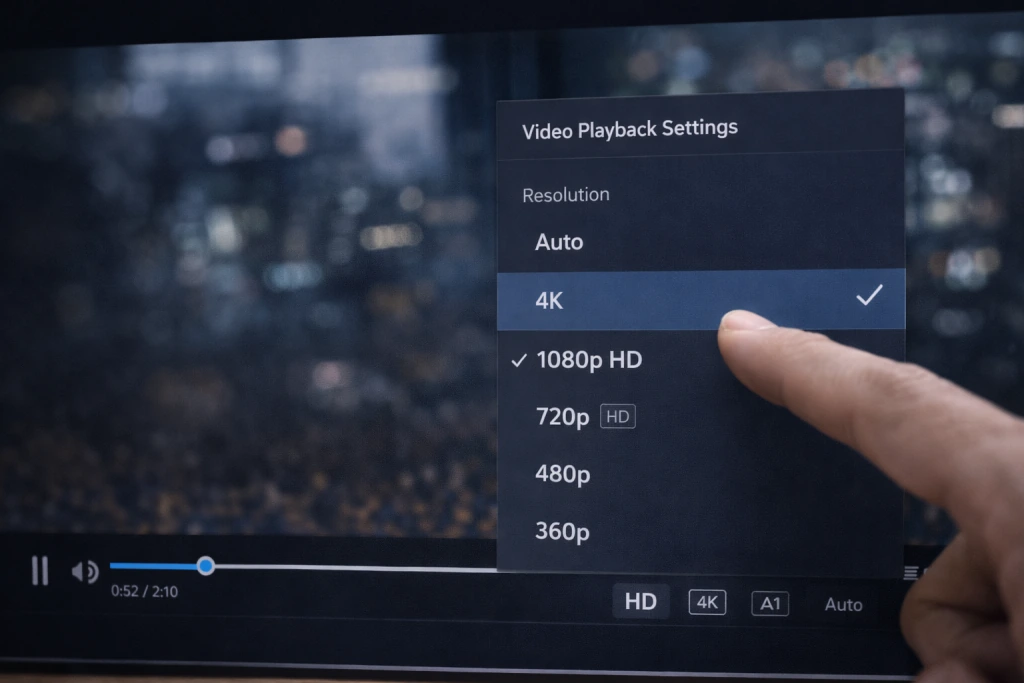
Sometimes it’s not the video itself—it’s everything around it that breaks the experience. Many creators assume uploading a high-quality file is enough. It’s not.
Take hosting. If your server slows down when five users log in at once, playback will suffer no matter how polished the content is. Cheap or poorly configured hosting is one of the biggest culprits behind sluggish video delivery.
Another issue: no optimization for different screens. A video that looks sharp on a desktop might struggle on a tablet. That’s where transcoding comes in. Without it, users are stuck with one version that might not fit their device or connection.
Here are a few mistakes to watch for:
- Uploading massive raw files without compression
- Skipping transcoding for screen size and resolution
- Setting videos to autoplay in 1080p by default
- Ignoring battery drain for mobile viewers
- Not checking browser or player compatibility
- Using outdated codecs with poor device support
If you’re wondering how to optimize a video, start by trimming excess. Compress it smartly. Create versions that work well across various screens. And always test—on slow Wi-Fi, on phones with 20% battery, on browsers you don’t normally use.
These oversights are easy to fix once you know where to look. But left unchecked, they chip away at user trust. And once people click away from a broken video, they rarely come back.
Why Smoother Video = Better Engagement
People don’t wait around for a video to load anymore. A few seconds of buffering, and they’re gone—swiping to something else, closing the tab, forgetting you even existed. Cloudinary mentions that delays as short as two seconds can trigger exits. CacheFly’s data shows over a quarter of viewers will bounce if the playback falters right at the start. You’re not just losing views—you’re losing the chance to say something before the viewer walks.
There’s something almost invisible about good video playback. When it works, no one notices. That’s the point. Everything just flows. People stick around longer, they explore more, they click, they buy, they subscribe. If you’re running a streaming business or using video to support one—this matters more than most people think.
Optimizing your video playback experience is what lets all the other parts shine. It’s not about one magic fix. It’s dozens of small decisions—formats, CDNs, encoding settings, bitrate caps—that add up to something that feels effortless. Viewers won’t thank you for it. But they will stay.
Build Your Own Video Streaming Site with Scrile Stream
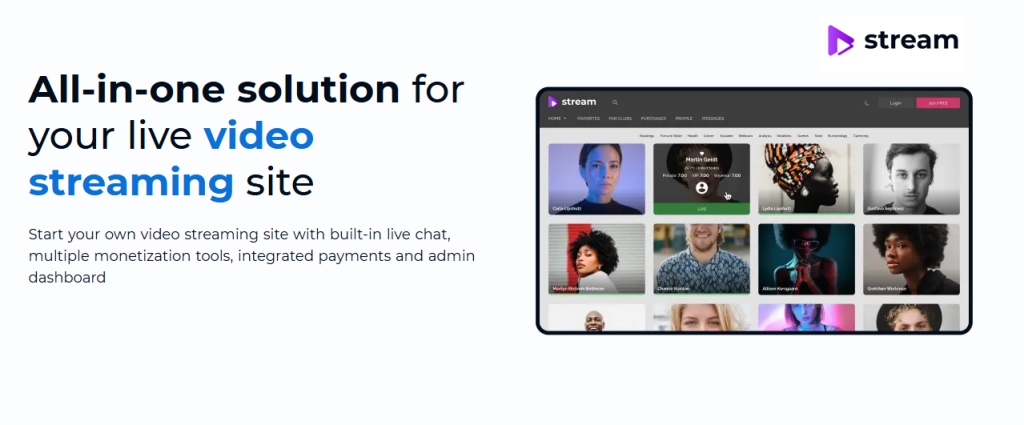
Scrile Stream is a custom video streaming development service built for creators and businesses that need full control over their infrastructure. It’s not a plug-and-play tool. Every part is developed specifically for your use case—whether that’s live broadcasting, gated content, or on-demand libraries.
The development team works with you to define the features, structure, and performance benchmarks that matter for your audience. Scrile Stream supports key technologies like adaptive bitrate streaming, low-latency delivery, and CDN distribution, helping you deliver high-quality video across devices without buffering or resolution drops.
What Scrile Stream brings to your project:
- Live and VOD streaming with real-time chat support
- Built-in monetization options: subscriptions, tips, or pay-per-view
- Mobile-first logic for better playback on smartphones
- Integration with major CDNs for global content delivery
- Custom user roles, moderation, and access levels
- Interface design that fits your branding
- Secure hosting with scalable infrastructure
- Admin panel with analytics and media control
You also gain long-term flexibility. Need to optimize videos for mobile users? Add battery-efficient encoding. Want to expand globally? Build on infrastructure that scales with demand. With Scrile Stream, your video platform is yours to shape.
Conclusion
Getting video playback right is never just about one setting or tool. It’s about how everything connects — encoding, delivery, device support — and how those elements work under pressure when people actually hit play.
When playback fails, you lose attention. That’s the reality. A slow start, unexpected buffering, or janky resolution switches break trust fast. On the other hand, when it works as expected, users stay longer, return more often, and engage more deeply. There’s no mystery in that. It’s simply that watching a video without friction feels better. So people keep doing it.
If you are building a streaming product and want control over how video loads, scales, and performs, the next logical step is to explore Scrile Stream service. It allows you to design playback behavior, infrastructure, and performance logic around your real audience instead of adjusting your product to third‑party limitations. This approach works especially well when video quality, latency, and long‑term growth matter as much as the content itself.
FAQ
What does optimizing video playback mean?
It means improving how your video is prepared and delivered so it runs smoothly across devices. This involves choosing the right format, compressing files properly, and using delivery setups that avoid long load times or playback issues.
What is optimizing video streaming?
This refers to how platforms improve the way video behaves in real time. It often includes techniques like adaptive bitrate streaming and edge delivery, which allow the stream to adjust to network conditions without interrupting playback.
How do I make my video playback smoother?
You can start by updating your video player and browser, then check your video format and resolution. Reducing the file size can also help. If the video keeps stuttering, it might be worth re-encoding it using a more efficient codec or testing it on a different device to spot compatibility issues.